How to cut wind noise on an action camera
Wind noise is not a volume problem, it is turbulence against a microphone port. Which is why turning the gain down does nothing and moving the camera does everything.
Part of Filming.
We earn a commission if you buy through our links, at no extra cost to you. It never changes what we recommend or the order we rank it in — how this works.
The only reliable fix for wind noise is to get the microphone out of the moving air — move the camera to a sheltered position, or use a wireless lavalier under a jacket collar. Wind noise is turbulence forming across a microphone port, not loud sound arriving at it, so reducing gain or enabling a wind-reduction filter cannot remove it; those only cut the frequency band the roar sits in, which takes voice with it. In practice, above roughly 10mph of apparent wind an unprotected action camera microphone is finished. Below that, position and a foam cover are enough. The honest fallback, used by almost every good action camera edit, is to score the clip to music and record narration afterwards.
What wind noise actually is
This matters because it explains why half the advice online does not work.
A microphone measures pressure changes. Sound is a pressure change; so is air tumbling over the edge of a port. When moving air hits an obstruction — the lip of a microphone hole, the edge of a camera body — it breaks into turbulent eddies, and those eddies produce enormous low-frequency pressure fluctuations directly at the diaphragm. The microphone is not hearing wind, it is being physically buffeted.
Two consequences follow. First, the signal is often clipping — louder than anything the microphone is rated to handle — so there is no clean recording underneath it to recover. Second, the energy is mostly below about 200Hz, which is also where the body of a human voice sits. That is why a wind filter cuts both and why heavily filtered action camera audio sounds thin and nasal.
The fix therefore has to be mechanical: stop the turbulence forming at the port in the first place.
The five fixes, in order of how much they help
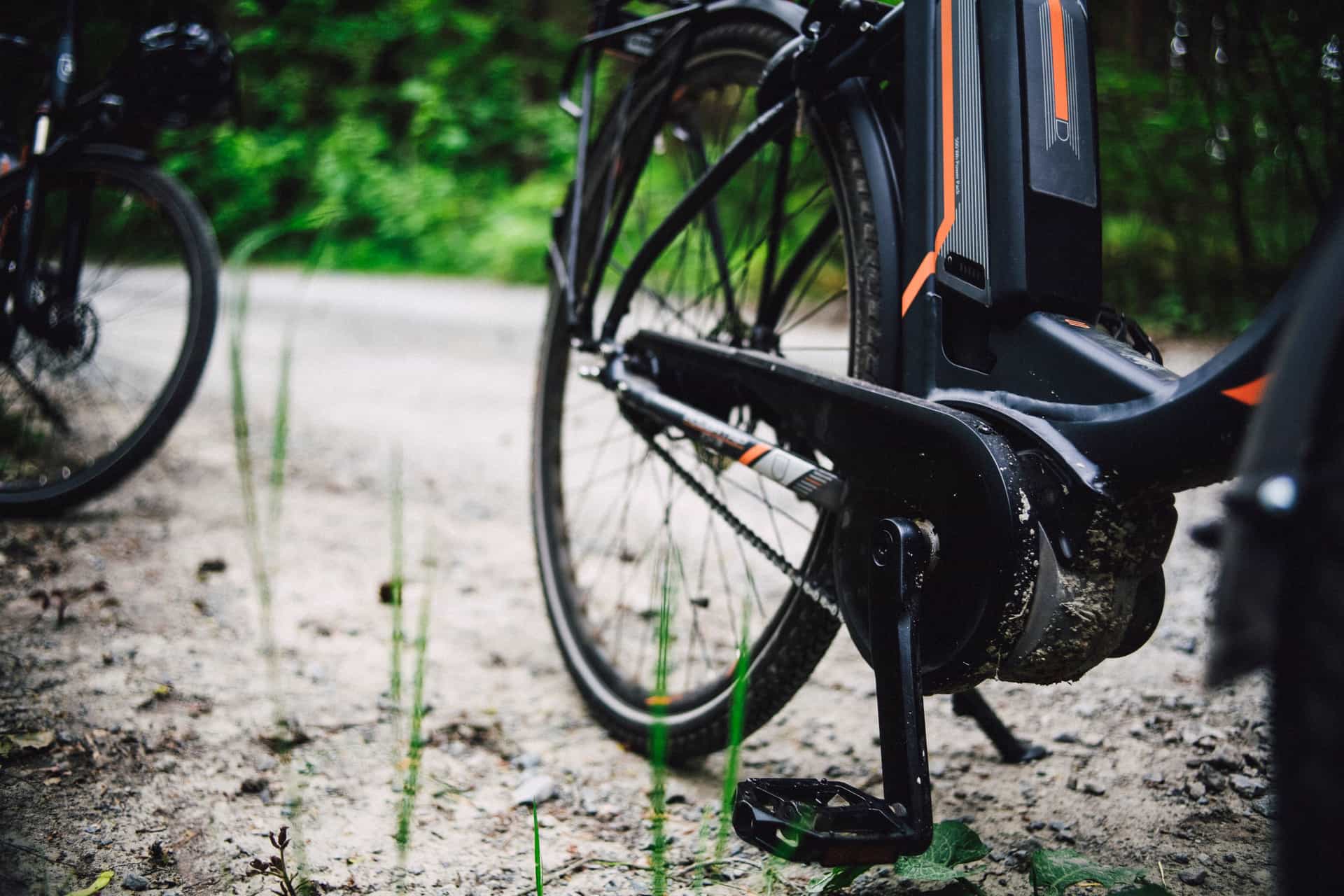
1. Move the camera. Free, and by far the most effective. Apparent wind speed drops dramatically a few inches out of the airflow. On a bike, moving from a helmet top to a chest harness, or from a handlebar to a seatpost facing backward, can be the difference between unusable and acceptable. On a boat, anywhere behind a windscreen or a body. On a paddle, low in the cockpit rather than on a pole.
2. Put the microphone somewhere else entirely. A wireless lavalier transmitter clipped inside a jacket collar is in still air even when you are doing 25mph. This is the actual professional answer and it is why the DJI Mic Mini is first in our picks: a roughly 10g transmitter with a published 11.5 hours of battery and 400m of unobstructed range. The microphone is on you, the camera is wherever the shot needs it, and the two are no longer the same problem.
3. Cover the port. Open-cell foam or fur over a microphone breaks up the eddies before they reach the diaphragm. It is remarkably effective for its cost and it is the standard fix for a handheld or chest-mounted camera at walking and running speeds. It does not survive being wet, which is a real limit on this site's use cases.
4. Block the wind with your own body. Unglamorous and it works. Turn so you are upwind of the camera, cup a hand on the windward side when you talk, or stop moving for the eight seconds you need to say something. A huge share of usable action camera audio is recorded standing still.
5. Use the camera's wind reduction setting. Last, not first. It is a filter, it removes voice along with roar, and it cannot do anything about a clipped signal. Useful as a final tidy on audio that was already nearly acceptable; useless on audio that was not.
| Situation | What works | What does not |
|---|---|---|
| Walking, hiking | Foam cover; onboard mic is usually fine | Nothing needed |
| Running | Chest mount plus foam cover | Head mounts — more airflow, more fabric noise |
| Cycling over ~10mph | Wireless lavalier under a collar | Onboard mic in any position |
| Kayaking in a breeze | Low in the cockpit; narrate at rest | A camera on a pole in the wind |
| Boating under power | Behind the windscreen, or a lavalier | Onboard mic anywhere exposed |
| Surfing, swimming | Nothing — plan for music | Foam covers (they soak), external mics (not sealed) |
| Talking to camera, stationary | Media Mod plus an external mic | Shouting at the onboard mic |
Why water changes the whole answer
Most wind noise advice is written for motorcycles and dry land, and it falls apart on this site's subject matter for one reason: the good fixes are not waterproof.
Foam and fur covers soak and then sound worse than bare. The GoPro Media Mod gives the camera a proper 3.5mm input with several input modes and 2.5V of bias power for powered microphones — and it is explicitly not a water accessory; our registry scores its water tolerance at the bottom of its category for exactly that reason. Wireless transmitters are not sealed either. A sealed protective housing muffles the microphones almost completely.
So for kayaking, paddle boarding, snorkeling and surfing, the honest plan is: accept that the onboard audio is a sound effect rather than a recording, and get the words somewhere else. Narrate at rest in the lee of something, or record a voiceover afterward. Everybody whose water footage sounds good is doing one of those two things, and the gear comparison is in the best microphones for action cameras.
Mount positions, specifically
Chest harness. The best general-purpose answer for audio as well as for stability. Your own torso shelters the camera from head-on airflow, and your voice is close and arriving from above the port. It is also quieter than a head mount because there is no jacket hood flapping next to it. Options are in the best chest mounts.
Helmet. The worst position for audio: maximum airflow, maximum turbulence, and often a strap or a hood right beside the port. Great angle, bad sound — the trade-off is set out in chest mount vs helmet mount.
Handlebar. Head-on into the airflow and sitting on a tube that transmits road buzz mechanically into the body. Two kinds of noise at once. A seatpost mount facing backward is substantially quieter — bike and handlebar mounts has the positions.
On a pole. Worst case of all: exposed on every side, and the pole itself hums. If you are using a pole for the angle, plan on music. Paddle and pole mounts covers the rest.
The three mistakes worth naming
Turning the microphone gain down. Wind noise is not a gain problem. Lowering gain lowers your voice by exactly the same amount and changes the ratio not at all.
Taping over the microphone port. It does reduce the roar and it also reduces everything else, including the sound you wanted. If you were going to do this, mute the track in the edit instead and keep the option of recovering something.
Buying an external microphone before trying a different mount. Moving the camera is free and usually bigger. Try it for one ride before spending anything.
When to stop fighting it
There is a point at which wind noise is not a problem to be solved. A descent, a paddle in chop, a surfboard — the audio was never going to be speech, and the footage does not need it to be. Score those clips to music, keep a few seconds of real ambience where it adds something, and record whatever needs saying as narration afterwards in a quiet room.
That is not a compromise; it is how nearly every action camera video you have enjoyed was made. The structure for doing it is in editing a trip video people watch.
01
The three ways out, in order
Get the microphone out of the airflow with a wireless transmitter, give the camera a real mic input, or move the camera itself somewhere the air is calmer. The third one is free.
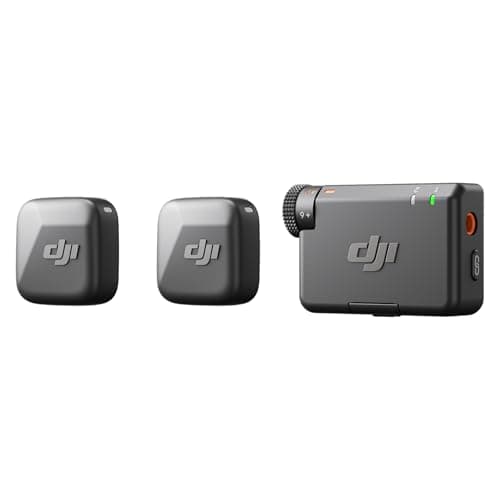
- Approx. 10g
- Approx. 11.5 hours
- 400m, unobstructed
- 8.0
- 7.0
- 4.5
- 9.5
- 9.0
DJI Mic Mini
DJI
A 10-gram transmitter with 11.5 hours of battery and 400m of range — the way to get clean voice without opening the camera up.
Narrating a trip without shouting over wind at the onboard mic
- 10g means it clips to a PFD strap and disappears
- 11.5 hours per transmitter, and the case recharges it roughly 3.6 times over
- 400m of range in the open — far past anything a paddling trip needs
- Keeps the camera sealed, unlike a wired mic adapter
- DJI does not publish a waterproof rating for the transmitter — treat it as not waterproof
- The receiver connects to non-DJI cameras via a 3.5mm cable, which usually means a media mod anyway
- Another thing to charge before a trip
Specs from DJI Mic Mini published specifications.
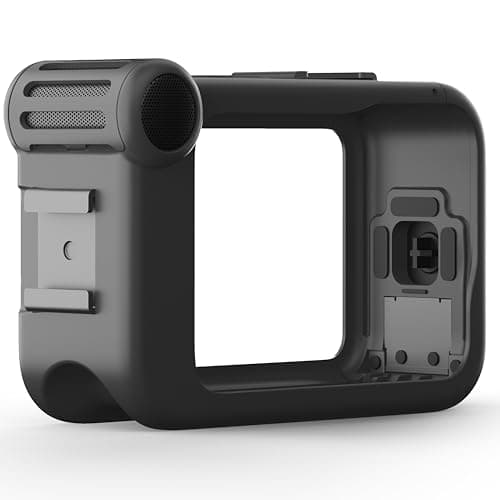
- 3.5mm, unbalanced stereo
- Standard / Standard+ / Powered / Powered+ / Line In
- 2.5V reserved for powered mics
- 7.5
- 4.0
- 3.0
- 9.0
- 8.0
GoPro Media Mod
GoPro
A directional mic plus a real 3.5mm input — the only official route to external audio on a GoPro, and it un-waterproofs the camera.
Talking to camera on dry land, or feeding in a proper external mic
- A genuine 3.5mm input with five selectable modes, including Line In at 8kOhms
- Built-in directional mic is a real step up from the camera's own
- Adds HDMI out and a cold shoe for a light or a receiver
- Published input impedance figures, which almost nothing else in this category gives you
- The camera is NOT waterproof in the Media Mod — this is a dry-land accessory
- Adds meaningful bulk to a camera you chose for being small
- Model compatibility is narrow; a new camera generation often means a new mod
Specs from GoPro Media Mod product page.
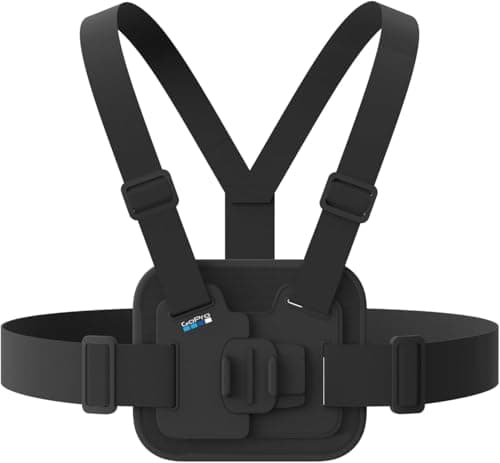
- Adjustable, fits over heavy winter jackets
- Quick-release buckle, usable with gloves
- Harness, vertical buckle, thumb screw
- 8.0
- 9.0
- 7.0
- 8.5
- 8.0
GoPro Chesty Performance Chest Mount
GoPro
The mount that shows your hands — which on a kayak means the paddle, and on a bike means the trail arriving.
Paddling and riding footage where the hands are the story
- Padded and breathable, and genuinely adjustable across body types and layers
- The quick-release buckle works with gloves on, which matters in cold water
- Lower and steadier than a helmet mount — less head-turn, less nausea in the edit
- Shows the paddle stroke, which is the shot most people are actually trying to get
- A PFD over the top changes the angle, so set it up wearing what you will actually wear
- Sits low; on a sit-inside kayak it can end up framing mostly deck
- Nothing about it is waterproof — it gets wet and stays wet
Specs from GoPro Chesty product page.
02
How we picked
We do not lab-test, bench-test or dive-test cameras, and we do not own test units. What we do instead is read the manufacturer's published specifications, read the independent reviews that genuinely do test, read owner reports for the failure modes specs never mention — fogging, salt corrosion, cold battery collapse, mount slippage — and then weight all of it for microphones used on lake and trail. Where a number is not published, the page says “not published” rather than filling the cell.
The full method, including what we refuse to do, is on the editorial policy page.
- 35%Wind handling
- On open water, wind is the only audio problem that matters.
- 25%Connection without a media mod
- Most buyers want audio without another housing to buy and flood.
- 20%Water tolerance
- Spray happens; an unsealed capsule ends the day.
- 12%Battery life
- A transmitter that dies mid-trip is worse than onboard audio.
- 8%Mounting
- Clip, magnet or cage — and whether it survives a paddle stroke.
03
Questions people actually ask
01How do I reduce wind noise on a GoPro?
Move the camera out of the airflow first — a chest mount instead of a helmet or handlebar is the single biggest improvement and costs nothing. Then a foam cover over the microphone port, then a wireless lavalier under your collar. The in-camera wind reduction setting is a last tidy, not a fix.
02Does the wind noise reduction setting work?
Only slightly. It is a filter that cuts the low frequencies the roar occupies, and human voice sits in the same band, so it takes both. It also cannot help if the microphone was clipping, which above about 10mph it usually is.
03At what speed does action camera audio become unusable?
Roughly 10mph of apparent wind for an unprotected onboard microphone. Below that, position and a foam cover are enough. Above it you need the microphone out of the moving air entirely.
04Can I use a foam windscreen on a waterproof camera?
Not for water use. Foam and fur covers soak, and a wet cover sounds worse than no cover. For kayaking, surfing and snorkeling the realistic plan is music plus narration recorded afterwards.
05Can wind noise be removed in editing?
Partly. A high-pass filter around 100-150Hz removes rumble that carries no voice, and music covers the rest. If the signal was clipped the information is gone, and noise reduction will trade the roar for a watery, artifact-heavy version of your voice.
06What is the best microphone setup for an action camera?
A wireless lavalier transmitter worn under a collar, because it puts the microphone in still air regardless of how fast the camera is moving. A Media Mod plus a wired external microphone is the better answer for talking to camera on dry land.
04
Read this next
The best microphones for action cameras
The hardware comparison, including what does and does not survive water.
Chest mount vs helmet mount
The position decision, with audio as one of the deciding factors.
Editing a trip video people watch
How to build an edit that does not need the onboard audio.
How to edit action camera footage on a phone
Where to apply the high-pass filter and add the music.
The best settings for filming on water
The rest of the wet-conditions settings, audio included.
05
Sources
Specifications are quoted from the manufacturer pages above as they read on the dates shown. Where a figure is not published, this site says so rather than estimating one. We have not tested these products.