The best SD cards for action cameras
The number printed largest on the packet is the one that matters least. Here is the one that decides whether recording stops.
Part of Gear.
We earn a commission if you buy through our links, at no extra cost to you. It never changes what we recommend or the order we rank it in — how this works.

01
Quick picks
| # | Product | Best for | Score | Price |
|---|---|---|---|---|
| 01 | SanDisk Extreme microSDXC UHS-I The card that appears on every manufacturer compatibility list, rated V30 and built to survive being wet, cold and dropped. | Anyone who does not want to think about cards again | 8.9/ 10 | |
| 02 |  Samsung PRO Plus microSDXC 180MB/s read, 130MB/s write and the same V30 rating — the card to buy when the SanDisk is out of stock or overpriced. | A second card, or a cheaper first one that gives up nothing on sustained write | 8.4/ 10 | |
| 03 | 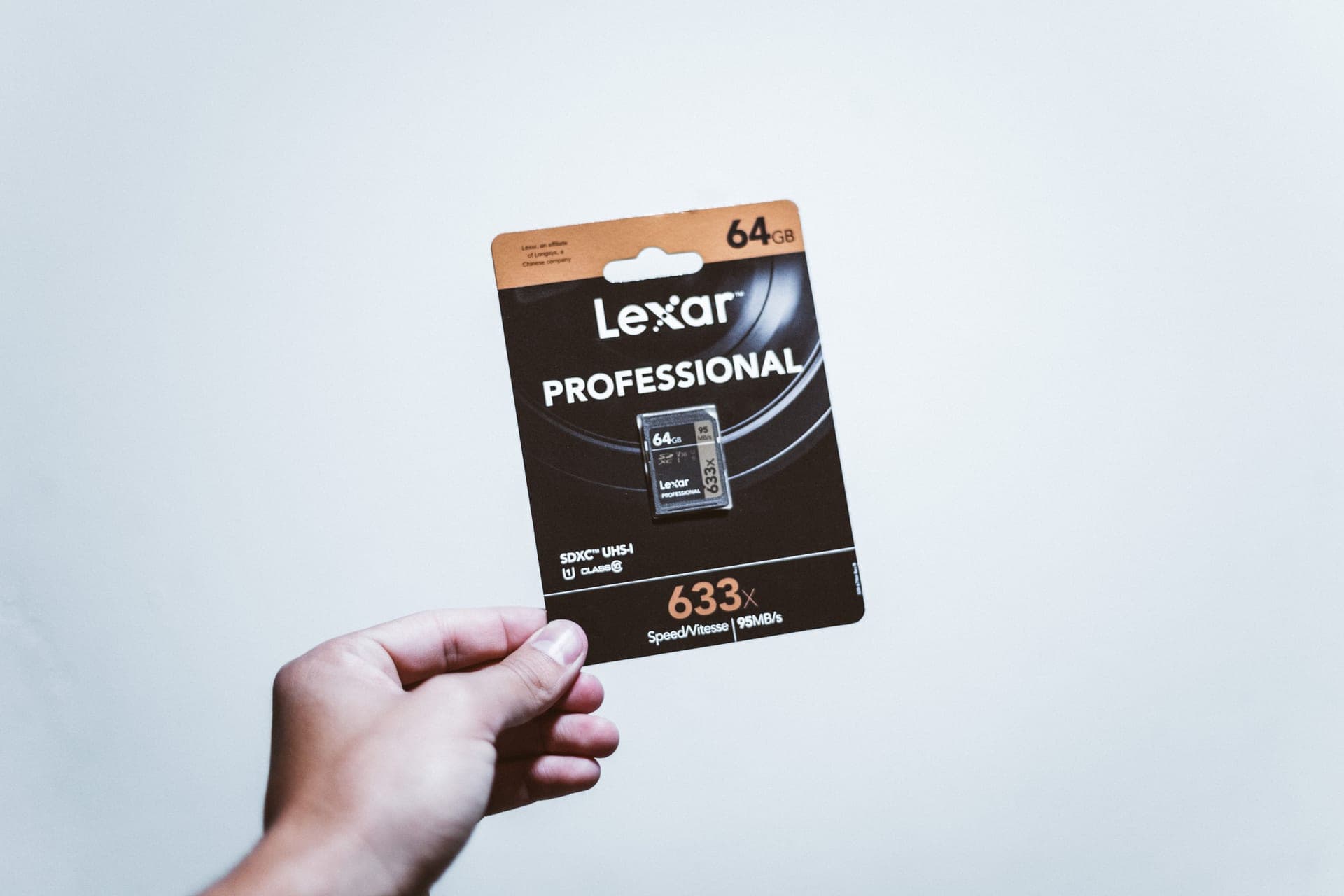 Lexar Professional 1066x microSDXC SILVER V30 and A2 at a lower price than the big two, with published water, shock, vibration and X-ray resistance. | Stocking up on spares without dropping below a real V30 rating | 8.0/ 10 |
Scores are our editorial judgment from published specs and named independent reviews, weighted for lake and trail use — not measurements. We have not tested these units and do not own them.
02
How we picked
We do not lab-test, bench-test or dive-test cameras, and we do not own test units. What we do instead is read the manufacturer's published specifications, read the independent reviews that genuinely do test, read owner reports for the failure modes specs never mention — fogging, salt corrosion, cold battery collapse, mount slippage — and then weight all of it for memory cards used on lake and trail. Where a number is not published, the page says “not published” rather than filling the cell.
The full method, including what we refuse to do, is on the editorial policy page.
- 40%Sustained write speed
- The number that decides whether high-bitrate video drops frames or stops.
- 25%Manufacturer compatibility list
- GoPro, Insta360 and DJI each publish tested cards; that list beats any spec.
- 15%Capacity for the trip
- How many hours at the bitrate you actually shoot.
- 12%Durability rating
- Water, X-ray, temperature range — a card lives in a wet pocket.
- 8%Warranty
- Cards fail; what happens next matters.
Why the wrong card breaks recording
This is the accessory failure people meet first, and it does not announce itself. A card that cannot keep up does not show an error — the camera simply stops recording mid-clip, or drops frames, and you find out at home.
The reason is bitrate. High-resolution action camera video writes a continuous stream of data, and it has to be written sustained, not in bursts. A card that can peak at 190MB/s for a photo burst may sustain far less, and sustained is the only number video cares about.
That is exactly what the Video Speed Class rating exists to describe.
Reading the symbols on a card
| Marking | Means | Matters for video? |
|---|---|---|
| V30 (V in a box) | Minimum sustained write of 30MB/s | Yes — this is the one |
| U3 (3 in a U) | Minimum sustained write of 30MB/s | Yes — same floor, older scheme |
| C10 (10 in a C) | Minimum sustained write of 10MB/s | Too slow for modern modes |
| A1 / A2 | App launch performance on phones | No |
| 190MB/s on the front | Peak READ speed | Only for offloading |
| I (roman numeral) | UHS-I bus | Background detail |
V30 and U3 describe the same 30MB/s floor. A2 is about running apps on a phone and has nothing to do with video. And the large number on the front is read speed — useful when you copy a card to a computer, irrelevant to whether the camera records successfully.
What capacity to buy
Rough planning, assuming you shoot in short bursts rather than continuously.
64GB: a long day at 4K, and the slowest write speed in most product lines. Avoid unless it is a spare.
128GB: the sensible minimum. A comfortable weekend, or a week of disciplined shooting.
256GB: the sweet spot for most people. A week of holiday footage without deleting anything, at the capacity where write speeds are at their best.
512GB and 1TB: for 360 cameras, which produce much larger files, and for long trips with no way to offload.
Two cards beat one large one. A failed card should never cost you a whole trip, and cards do fail.
Formatting, and the habit that prevents most problems
Format in the camera, not on a computer. Every camera manufacturer says this and most people ignore it. The camera writes the file system it expects, and a card formatted by a laptop can produce exactly the intermittent write failures this page is about.
Format before every significant trip, after you have offloaded. Cards fragment, and a fresh format is the cheapest insurance there is.
Do not delete individual clips in the camera. It fragments the card in exactly the way that hurts sustained writes. Offload everything, then format.
Counterfeits, which are a real problem
Fake memory cards are common, convincingly packaged, and report the capacity they claim while actually holding far less. They work until the real capacity is exceeded, and then they silently corrupt.
Two defenses. Buy from a seller you trust rather than the cheapest listing. And test a new card before a trip by filling it with junk files and reading them back — there are free tools for this, and it takes an evening of doing nothing.
03
Every pick, in detail
- U3 · V30 · A2 · Class 10
- Up to 190MB/s read, 130MB/s write
- Shock, temperature, water and X-ray proof
- 8.5
- 9.5
- 9.0
- 9.0
- 8.0
SanDisk Extreme microSDXC UHS-I
SanDisk
The card that appears on every manufacturer compatibility list, rated V30 and built to survive being wet, cold and dropped.
Anyone who does not want to think about cards again
The default, and the reason is not the speed — it is that this card appears on GoPro, DJI and Insta360 tested-card lists more often than anything else. When a camera manual names cards, this is usually one of them, and a manual's tested list outranks any spec sheet.
- V30 guarantees a 30MB/s minimum sustained write, which is what high-bitrate video actually needs
- SanDisk publishes shockproof, temperature-proof, waterproof and X-ray-proof ratings
- Appears on GoPro, DJI and Insta360 tested-card lists more often than any other card
- Capacities up to 1TB, so a long trip does not need a card swap
- Write speeds vary by capacity — the 64GB tops out at 80MB/s write, the 128GB at 90MB/s
- Counterfeits are common; buy from a seller you trust
- V30 is the floor, not the ceiling — 8K on some cameras wants more headroom
Specs from SanDisk Extreme microSDXC UHS-I product page.
- U3 · V30 · A2 · Class 10
- Up to 180MB/s read, 130MB/s write
- 128GB, 256GB, 512GB
- 8.5
- 8.0
- 8.0
- 8.5
- 8.5
Samsung PRO Plus microSDXC
Samsung
180MB/s read, 130MB/s write and the same V30 rating — the card to buy when the SanDisk is out of stock or overpriced.
A second card, or a cheaper first one that gives up nothing on sustained write
Matches the SanDisk's 130MB/s write and the same V30 rating, usually for less. Samsung publishes a full datasheet, which is rarer than it should be in this category. It tops out at 512GB and appears on fewer camera-maker lists.
- Matching 130MB/s write speed to the SanDisk Extreme at the same V30 class
- Samsung publishes a full datasheet, which is rarer than it should be in this category
- Widely stocked, so price competition is real
- A2 rated, which matters if the card doubles up in a phone
- Tops out at 512GB — no 1TB option
- Appears on fewer camera-maker tested-card lists than SanDisk does
- Read speed is marginally behind the SanDisk, which shows when offloading a big day
Specs from Samsung PRO Plus microSDXC product page.
- U3 · V30 · A2 · Class 10
- Up to 160MB/s read, 120MB/s write (128GB+)
- Water, shock, vibration and X-ray proof
- 8.0
- 7.5
- 8.0
- 8.5
- 8.0
Lexar Professional 1066x microSDXC SILVER
Lexar
V30 and A2 at a lower price than the big two, with published water, shock, vibration and X-ray resistance.
Stocking up on spares without dropping below a real V30 rating
Still V30, so the 30MB/s sustained floor is intact, and usually the cheapest per gigabyte. 160MB/s read is the slowest here, which shows when you offload a full card rather than when you record. Skip the 64GB version — it drops to 70MB/s write.
- Still V30, so the 30MB/s sustained-write floor is intact
- Usually the cheapest of the three per gigabyte
- Published resistance to water, shock, vibration and X-ray
- Ships with an SD adapter, which the others do not always
- 160MB/s read is the slowest here — offloading a full card takes longer
- The 64GB version drops to 70MB/s write; skip it
- Thinner presence on camera-maker tested lists
Specs from Lexar Professional 1066x SILVER product page.
04
What decides this category
V30 minimum, no exceptions
The 30MB/s sustained floor is what high-bitrate video needs. C10 alone is not enough for modern modes, whatever the front of the packet says.
Check your camera's tested-card list
GoPro, DJI and Insta360 all publish lists of cards they have tested. That list outranks any specification comparison, because it reflects the actual controller behavior in your actual camera.
Check the write speed for the exact capacity
Not for the product line. The 64GB and the 256GB of the same card can differ by more than half on write speed.
Buy two smaller cards rather than one large one
Redundancy against failure, and it lets you swap mid-trip rather than deleting on a beach.
What we would skip
The cheapest listing of a name-brand card from an unfamiliar seller. Counterfeits are common, they pass a casual glance, and they fail by corrupting rather than by refusing to work.
05
Questions people actually ask
01What SD card does a GoPro need?
A microSD card rated V30 or better, from the tested-card list in your camera's documentation. V30 guarantees a 30MB/s sustained write, which is what high-bitrate video actually requires.
02What does V30 mean on an SD card?
Video Speed Class 30: a guaranteed minimum sustained write speed of 30MB/s. It is the only marking on the card that describes video recording capability. U3 describes the same floor.
03Why does my camera stop recording randomly?
Almost always the card. A card that cannot sustain the write rate stops mid-clip rather than showing an error. Use a V30 card from the tested list, and format it in the camera.
04Is a faster card better?
Faster read speed only helps when offloading. What matters for recording is sustained write, which is what V30 describes — and a card advertising 190MB/s read may write far less.
05What size SD card should I get?
128GB as a minimum, 256GB as the sweet spot. Avoid 64GB in most product lines because write speed drops at that capacity. Two smaller cards beat one large one.
06Should I format the card in the camera or on a computer?
In the camera, always, and before every significant trip. A card formatted on a computer can produce exactly the intermittent write failures that ruin footage.
06
Read this next
SD card speed classes compared
V30, U3, A2 and the rest, explained properly.
Best settings for water
The modes that demand the most from a card, and the ones that do not.
The first five accessories
Where the card sits in the order of what to buy.
Batteries and power banks
The other thing that ends a day early.
Best action cameras for beginners
Including the day-one settings that keep card demands sensible.
07
Sources
- SanDisk Extreme microSDXC UHS-I product page
- Samsung PRO Plus microSDXC product page
- Lexar Professional 1066x microSDXC SILVER product page
Specifications are quoted from the manufacturer pages above as they read on the dates shown. Where a figure is not published, this site says so rather than estimating one. We have not tested these products.