What size SD card for an action camera?
Capacity and speed are two different specifications, and people buy the wrong one. Here is the arithmetic that settles the size question.
Part of Gear.
We earn a commission if you buy through our links, at no extra cost to you. It never changes what we recommend or the order we rank it in — how this works.
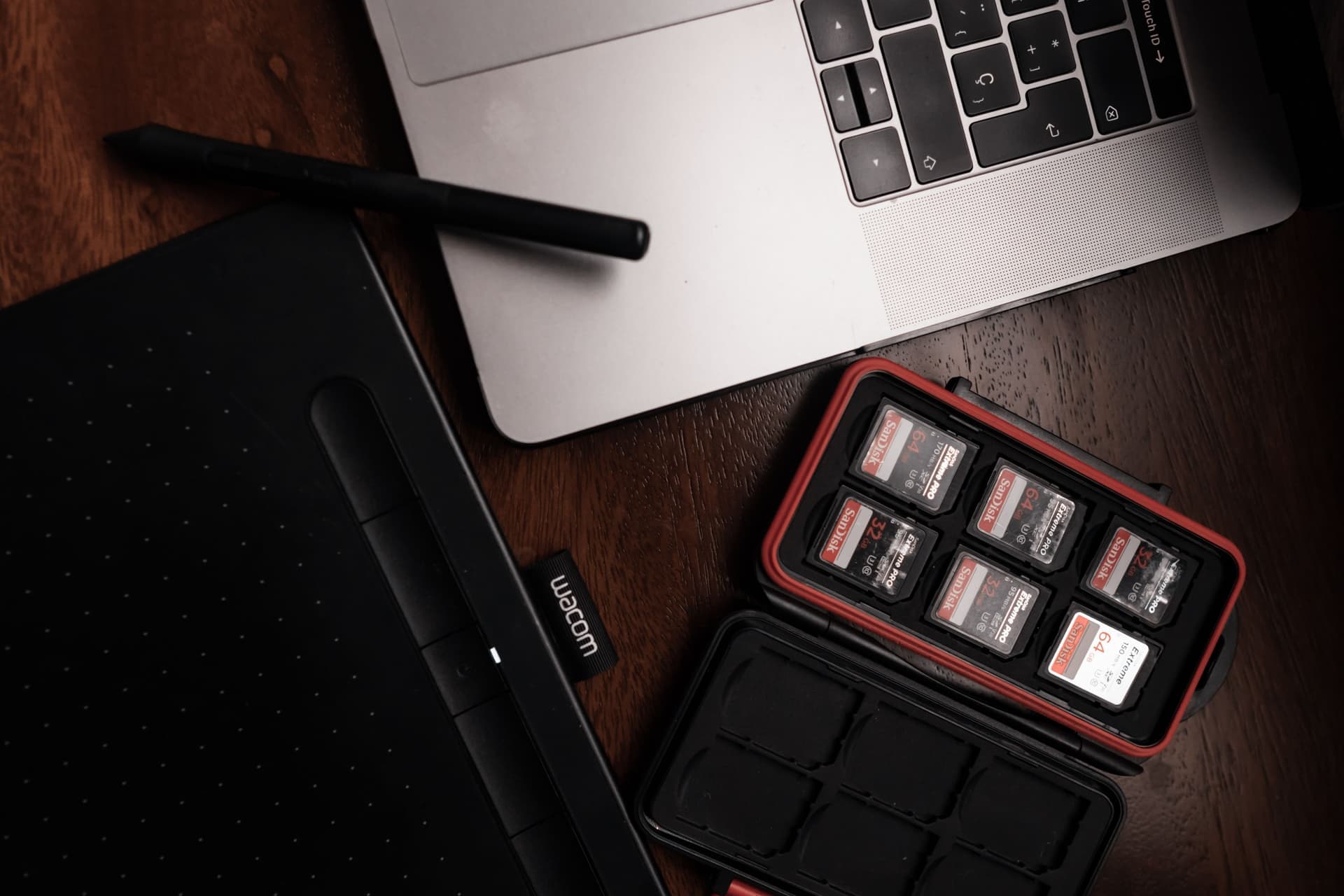
128GB is the right size for most action camera owners, and two 128GB cards beat one 256GB. The arithmetic is simple and it works for any camera: a recording bitrate in megabits per second, divided by eight, gives megabytes per second. So a 100Mbps setting writes about 12.5MB every second, which is 750MB a minute — roughly 45GB an hour. On that basis a 128GB card holds a bit under three hours at a high 4K setting and a good deal more at 1080p. Check your own camera's published bitrate for the mode you actually use, then divide. The reason to buy two smaller cards rather than one large one is risk: a card failure or a lost card costs you one session instead of a whole trip.
The one calculation you need
Video file size is bitrate multiplied by time. Nothing else. The confusion comes from the units, because cameras publish bitrate in megabits and cards are sold in gigabytes.
Divide the bitrate in megabits per second by eight to get megabytes per second. Multiply by 60 for a minute, by 3600 for an hour, and divide by 1000 to land in gigabytes. That is the whole method, and it means you never have to trust a card manufacturer's "holds up to 20 hours of video!" claim, which is always quoted at a resolution nobody shoots.
| Recording bitrate | Per minute | 64GB | 128GB | 256GB | 512GB |
|---|---|---|---|---|---|
| 25Mbps | 188MB | About 5.7h | About 11.3h | About 22.7h | About 45.4h |
| 60Mbps | 450MB | About 2.4h | About 4.7h | About 9.5h | About 19h |
| 100Mbps | 750MB | About 1.4h | About 2.8h | About 5.7h | About 11.4h |
| 150Mbps | 1125MB | About 57 min | About 1.9h | About 3.8h | About 7.6h |
Two caveats on that table. Card capacities are quoted in decimal gigabytes and formatted capacity is always a little lower, so treat every figure as an optimistic ceiling. And higher-resolution modes carry higher bitrates — a 5.3K or 8K setting is the top row of nobody's calculation.
Speed is a different specification, and it is not optional
Capacity decides how much you can record. The speed class decides whether the recording survives at all. A card that cannot sustain the write rate stops the clip by itself, usually with an unhelpful error, and usually in the middle of something you cannot repeat.
V30 is the floor for 4K recording on every camera we rank, and all three cards above publish U3, V30, A2 and Class 10. The SanDisk Extreme publishes up to 190MB/s read and 130MB/s write; the Samsung PRO Plus publishes up to 180MB/s read and 130MB/s write; the Lexar Professional 1066x publishes up to 160MB/s read and 120MB/s write at 128GB and above. Those read figures are about offloading speed, not recording — the write figure and the V rating are what keep a clip alive. SD card speed classes compared unpacks what each symbol on the card actually guarantees.
Why we recommend two 128GB cards over one 256GB
This is the part most size guides skip, and on water it is the whole argument.
A card is a single point of failure. Cards fail rarely and completely. One 512GB card holding a week of a trip is a week of a trip you can lose at once; two or three smaller cards spread that risk so a failure costs one day.
Cards get lost, and they are small. A microSD card dropped on a dock or in the bottom of a kayak is gone. Spreading a trip across several cards means a lost one is annoying rather than catastrophic.
Offloading is slow. Copying 256GB of footage off a card in a cabin with a laptop is an evening. Smaller cards let you offload one while you shoot on the next.
A full card on the water has no good answer. Changing a card in a boat is how cards end up in the lake. Size the card to the whole session, then stop.
The exception is a format with fixed storage. The Insta360 GO 3S, for example, ships with fixed 64GB or 128GB and no card slot, so the capacity you buy is the capacity you keep — on those bodies, buy up front.
Sizing by what you actually shoot
A day paddle, mostly short clips: 128GB is comfortable at any 4K setting, and you will come home with spare room.
A full day of riding with the camera running on a helmet: run the arithmetic at your camera's published bitrate before you leave. A high-bitrate 4K60 mode will fill 128GB in under two hours, and continuous recording also raises the thermal question — stop fogging and overheating covers that.
A time lapse running for hours: far less data than it feels like, because a lapse writes a fraction of the frames. Battery is the constraint there, not the card — time lapse vs TimeWarp has the intervals.
A 360 camera: size up. A 360 camera captures a whole sphere at a high bitrate and then you keep the original file as well as the reframed export, so the card and the laptop both need room.
A multi-day trip with no laptop: this is the only case where a single large card is the right answer, because you have nowhere to offload. Even then, carry a second card rather than one bigger one.
Mistakes that cost footage
Buying on capacity alone. A 512GB card with no V rating printed on it is a card that will stop a 4K recording. The rating matters more than the size, every time.
Buying a suspiciously cheap high-capacity card. Counterfeit cards report a capacity they do not have, and the failure shows up when the card passes the size it really is — which is to say, in the middle of your trip. Buy from a seller you can hold responsible.
Formatting in a computer rather than the camera. Format in the camera, every time. It writes the file system the camera expects, and it is also the quickest way to clear a card that has started behaving strangely.
Never formatting at all. Offload, verify the copy, then format in the camera before the next trip. A card used for a year without a format accumulates fragments and odd directories, and the recording that fails will be the one you cared about.
Leaving the only copy on the card. A card is not a backup, and a card in a camera on a boat is the least safe place your footage will ever live. Copy it the same evening — how to edit on a phone covers getting clips off without a computer.
01
The cards we would put in a camera
All three publish U3, V30, A2 and Class 10, which is the speed floor. Capacity is the part you choose; the rating is the part you must not compromise.
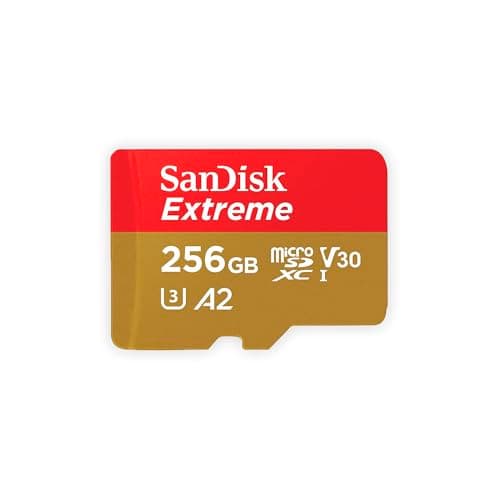
- U3 · V30 · A2 · Class 10
- Up to 190MB/s read, 130MB/s write
- Shock, temperature, water and X-ray proof
- 8.5
- 9.5
- 9.0
- 9.0
- 8.0
SanDisk Extreme microSDXC UHS-I
SanDisk
The card that appears on every manufacturer compatibility list, rated V30 and built to survive being wet, cold and dropped.
Anyone who does not want to think about cards again
- V30 guarantees a 30MB/s minimum sustained write, which is what high-bitrate video actually needs
- SanDisk publishes shockproof, temperature-proof, waterproof and X-ray-proof ratings
- Appears on GoPro, DJI and Insta360 tested-card lists more often than any other card
- Capacities up to 1TB, so a long trip does not need a card swap
- Write speeds vary by capacity — the 64GB tops out at 80MB/s write, the 128GB at 90MB/s
- Counterfeits are common; buy from a seller you trust
- V30 is the floor, not the ceiling — 8K on some cameras wants more headroom
Specs from SanDisk Extreme microSDXC UHS-I product page.
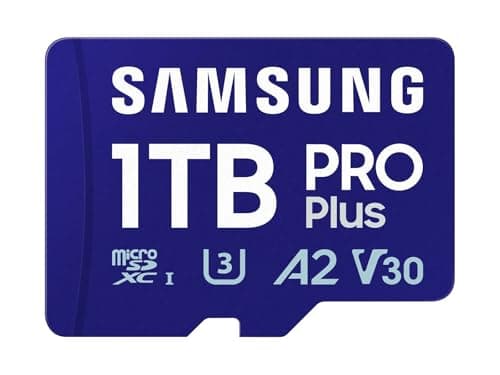
- U3 · V30 · A2 · Class 10
- Up to 180MB/s read, 130MB/s write
- 128GB, 256GB, 512GB
- 8.5
- 8.0
- 8.0
- 8.5
- 8.5
Samsung PRO Plus microSDXC
Samsung
180MB/s read, 130MB/s write and the same V30 rating — the card to buy when the SanDisk is out of stock or overpriced.
A second card, or a cheaper first one that gives up nothing on sustained write
- Matching 130MB/s write speed to the SanDisk Extreme at the same V30 class
- Samsung publishes a full datasheet, which is rarer than it should be in this category
- Widely stocked, so price competition is real
- A2 rated, which matters if the card doubles up in a phone
- Tops out at 512GB — no 1TB option
- Appears on fewer camera-maker tested-card lists than SanDisk does
- Read speed is marginally behind the SanDisk, which shows when offloading a big day
Specs from Samsung PRO Plus microSDXC product page.
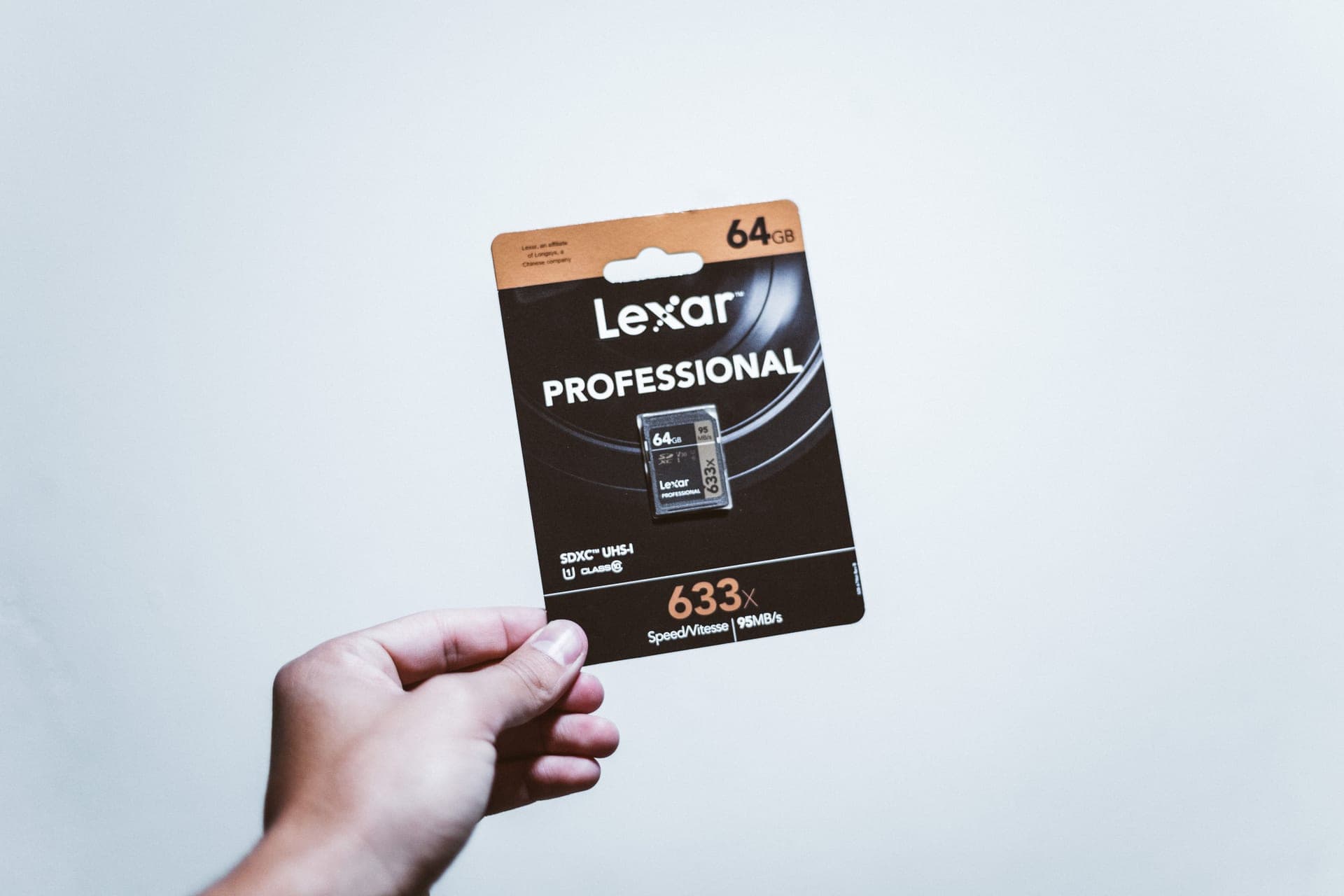
- U3 · V30 · A2 · Class 10
- Up to 160MB/s read, 120MB/s write (128GB+)
- Water, shock, vibration and X-ray proof
- 8.0
- 7.5
- 8.0
- 8.5
- 8.0
Lexar Professional 1066x microSDXC SILVER
Lexar
V30 and A2 at a lower price than the big two, with published water, shock, vibration and X-ray resistance.
Stocking up on spares without dropping below a real V30 rating
- Still V30, so the 30MB/s sustained-write floor is intact
- Usually the cheapest of the three per gigabyte
- Published resistance to water, shock, vibration and X-ray
- Ships with an SD adapter, which the others do not always
- 160MB/s read is the slowest here — offloading a full card takes longer
- The 64GB version drops to 70MB/s write; skip it
- Thinner presence on camera-maker tested lists
Specs from Lexar Professional 1066x SILVER product page.
02
How we picked
We do not lab-test, bench-test or dive-test cameras, and we do not own test units. What we do instead is read the manufacturer's published specifications, read the independent reviews that genuinely do test, read owner reports for the failure modes specs never mention — fogging, salt corrosion, cold battery collapse, mount slippage — and then weight all of it for memory cards used on lake and trail. Where a number is not published, the page says “not published” rather than filling the cell.
The full method, including what we refuse to do, is on the editorial policy page.
- 40%Sustained write speed
- The number that decides whether high-bitrate video drops frames or stops.
- 25%Manufacturer compatibility list
- GoPro, Insta360 and DJI each publish tested cards; that list beats any spec.
- 15%Capacity for the trip
- How many hours at the bitrate you actually shoot.
- 12%Durability rating
- Water, X-ray, temperature range — a card lives in a wet pocket.
- 8%Warranty
- Cards fail; what happens next matters.
03
Questions people actually ask
01What size SD card do I need for an action camera?
128GB suits most people, and two 128GB cards are a better buy than one 256GB because a failure or a loss then costs one session rather than a trip. Work it out exactly by dividing your camera's published bitrate in megabits by eight to get megabytes per second.
02How many hours of 4K video fit on a 128GB card?
It depends entirely on the bitrate of the mode you shoot. At 100Mbps — a common high 4K figure — 128GB holds roughly 2.8 hours; at 60Mbps roughly 4.7 hours. Check the published bitrate for your camera and mode, then divide.
03Is a 512GB card overkill for a GoPro?
For most people, yes — not because the camera cannot use it, but because putting a whole trip on one card concentrates the risk and makes offloading slow. The exception is a multi-day trip with no laptop.
04Does the size of the card affect recording quality?
No. Capacity affects duration only. What affects whether a recording survives is the speed class — V30 or better for 4K — which is a separate specification printed on the same card.
05Should I format the card in the camera or the computer?
In the camera, always. It writes the file system the camera expects and clears anything odd a computer may have left behind. Offload and verify your footage first, because formatting erases the card.
04
Read this next
The best SD cards for action cameras
Which specific cards appear on manufacturer compatibility lists.
SD card speed classes compared
What U3, V30, A2 and Class 10 each actually guarantee.
The best GoPro accessories for kayaking
Where the card sits in a kayak kit, and the four items that matter more.
Stop fogging and overheating
The other reason a long recording stops before the card is full.
Power on long days
Card capacity is rarely the real limit — battery usually is.
05
Sources
- SanDisk Extreme microSDXC UHS-I product page
- Samsung PRO Plus microSDXC product page
- Lexar Professional 1066x SILVER product page
Specifications are quoted from the manufacturer pages above as they read on the dates shown. Where a figure is not published, this site says so rather than estimating one. We have not tested these products.