4K vs 5.3K vs 8K: what resolution an action camera actually needs
Resolution is the easiest number to sell and the hardest to see. The ceiling that really decides how your footage looks is the bitrate, and it barely moves.
Part of Cameras.
We earn a commission if you buy through our links, at no extra cost to you. It never changes what we recommend or the order we rank it in — how this works.
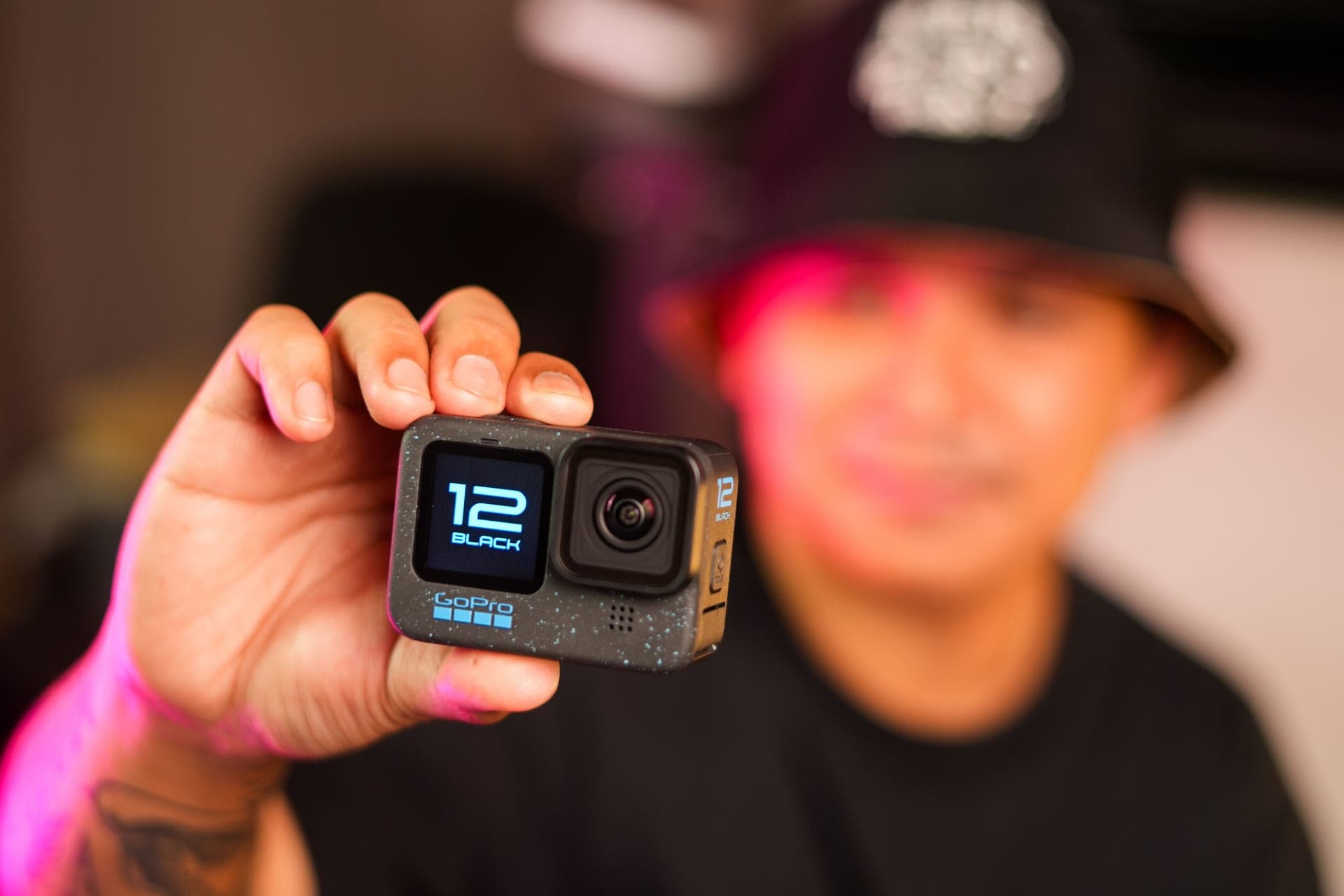
Shoot 4K at 60fps. That is the right answer for almost every action camera owner, almost all of the time. 4K is 3840x2160 — about 8.3 million pixels, more than any phone, laptop or normal television can display. Go above it for one specific reason: you intend to crop. 5.3K gives you room to reframe a wide shot or to absorb a hard stabilization crop and still deliver clean 4K. 8K (7680x4320, about 33 million pixels) is a cropping tool rather than a delivery format, and on a flat camera it currently costs you frame rate: DJI publishes 8K at 24, 25 or 30fps only. The number almost nobody checks matters more than any of this — both current flagships publish the same 120 Mbps maximum bitrate, so every extra pixel you record is sharing a fixed amount of data.
What the numbers actually are
Marketing names are rounded and inconsistent, so it helps to see the pixel counts next to each other. 4K and 8K are standard frame sizes that manufacturers publish exactly. "5.3K" is a GoPro mode name: GoPro publishes the modes (5.3K at 60, 50, 30, 25 and 24fps in 16:9) without stating frame dimensions on the pages we read, and retailer spec sheets list 5120x2880 for it. Treat that one as approximate — which is fine, because the conclusion does not hinge on it.
| Mode | Frame size | Approx. pixels per frame | Relative to 4K |
|---|---|---|---|
| 1080p | 1920x1080 | 2.1 million | 0.25x |
| 4K (UHD) | 3840x2160 | 8.3 million | 1x |
| 5.3K (GoPro mode name) | 5120x2880 per retailer spec sheets | 14.7 million | approx. 1.8x |
| 8K | 7680x4320 | 33.2 million | 4x |
That last row is the one worth sitting with. Going from 4K to 8K quadruples the pixels in every frame. Nothing about the camera's data budget quadruples with it.
The ceiling nobody checks: bitrate
Bitrate is how much data per second the camera writes to the card, and it is the single biggest factor in whether footage holds together when the frame is full of moving water, spray, leaves or snow. Those are exactly the scenes that are hardest to compress, and they are all of our scenes.
Here is the part the resolution conversation usually skips. DJI publishes a maximum video bitrate of 120 Mbps for the Osmo Action 6. GoPro's published maximum for the HERO13 Black is also 120 Mbps, on the High bit-rate setting. Same ceiling. So when you switch a camera from 4K to 8K, the data rate does not rise to match the pixel count — the same 120 Mbps gets spread across four times as many pixels, which is roughly a quarter of the data per pixel.
In a calm, static scene that trade is invisible. In chop, in a bow wave, in a spray of snow off a tire, it is not: you can lose more to compression in the busy parts of an 8K frame than you gained in resolution. More pixels is a genuine upgrade only when the data rate rises with them, and on current action cameras it does not.
What your footage is actually watched on
Resolution only exists at the end of the chain. A phone screen is the destination for most trip footage, and no phone displays 8K. Laptops top out at 4K-ish. A new television in a normal living room is 4K, and plenty of perfectly good ones are 1080p. Streaming compresses what you upload again on the way out.
So the practical ceiling for delivery is 4K, and the honest version is stronger than that: on a phone held at arm's length, most people cannot reliably tell 1440p from 4K, let alone 4K from 8K. What people do notice, immediately and every time, is shake, bad exposure, blown-out water, wind roar on the microphone and clips that run too long. All five of those are fixed somewhere other than the resolution menu — the water settings guide and how to cut wind noise are both worth more to your footage than a resolution bump.
When more than 4K genuinely earns its place
There are four real cases. If none of them is you, shoot 4K60 and spend the card space on more clips.
1. You crop in the edit. This is the big one. Mount a camera on your chest or a kayak bow and you cannot aim it; you point it roughly and sort it out later. Recording 5.3K and delivering 4K leaves about 1.8x the pixels, which is enough to push in on the part that mattered or straighten a horizon without going soft. Recording 8K and delivering 4K is enormous crop headroom — that is 8K's one honest job on a flat camera.
2. You need a vertical cut as well as a wide one. Pulling a 9:16 vertical clip out of a 16:9 frame throws away most of the width. Starting from a higher resolution means the vertical version is still sharp. Vertical video from an action camera covers the ways to do it, in order of how much quality each one costs.
3. You stabilize hard. Electronic stabilization works by keeping a margin of unused frame and moving the picture around inside it. The strongest modes — HyperSmooth at maximum, horizon leveling — crop the most. Extra resolution buys that margin back. HyperSmooth vs FlowState vs RockSteady explains which mode costs what.
4. You shoot 360. This is a different argument and it is the strongest one. On the Insta360 X5 the published 8K30 figure covers the entire sphere — everything around the camera at once. When you reframe that into a normal flat clip you are exporting one slice of it. The arithmetic, for a 5760-pixel-wide sphere and a reasonably tight 60-degree view, is 60/360 of the width: roughly 960 pixels across, which is barely 1080p. At 8K the same slice is about 1280 pixels. That is why 360 cameras chase resolution so hard, and why 8K on a 360 camera is not marketing while 8K on a flat camera often is. Our 360 camera vs action camera comparison takes that trade apart properly.
What it costs: cards, batteries and edit time
A published bitrate converts straight into storage, so this part is arithmetic rather than opinion. 120 Mbps is 15 megabytes per second, which is about 900MB a minute and roughly 54GB an hour. A 128GB card holds a little over two hours at that rate; a long day in the top mode is a 256GB or 512GB card, or a laptop on the tailgate. What size SD card to buy has the capacity planning, and speed classes compared explains why the V rating, not the capacity, is what prevents a dropped recording.
Battery goes the same direction. Both manufacturers quote their longest runtimes at 1080p with the screens off for a reason: higher resolutions and frame rates mean more sensor readout, more processing and more heat, and heat is what ends a long clip. If your camera stops mid-shot on a hot dock, the resolution setting is usually part of the reason — fogging and overheating has the rest of it.
And then there is your laptop. 8K HEVC is heavy to scrub, slow to render and unpleasant to work with on an older machine, and 360 footage adds a reframing pass on top of that. The resolution you can actually finish editing is worth more than the resolution you can record; editing on a phone is the realistic path for most trip footage, and phones are happiest with 4K.
What to set, by what you shoot
Family trips, paddling, general lake use. 4K60, bit rate High. One setting, no thinking, plenty of crop for a straighten, and files a phone can edit.
Chest or bow mount where you cannot aim. 5.3K if your camera has it, otherwise 4K with the widest lens setting. The crop headroom is the whole point.
Anything you want to slow down. Frame rate beats resolution outright. 4K120 on either flagship, or 1080p240 on a GoPro, gets you usable slow motion; 8K30 does not.
Long cold days with no charger. Drop to 4K30 or even 1080p60 and keep the screens off. Runtime is the specification that decides whether you have footage at all — the same logic runs through power on long days.
A single locked-off wide shot you plan to mine for several cuts. This is 8K's one good day. Tripod or hull mount, nothing moving fast, crop three different clips out of one take.
360. The highest resolution the camera offers, every time, because you are exporting a slice of it.
The short version
Resolution is the number on the box; bitrate, frame rate and stabilization are the numbers in the footage. Both flagships cap at the same published 120 Mbps, so moving up the resolution ladder spreads a fixed data budget thinner and buys you crop headroom in exchange. If you crop, that is a good trade. If you shoot, dump the card and share the clip, 4K60 with the bit rate set High will look better than 8K does, cost a third of the card space, and still outresolve every screen in your house.
If you are choosing a camera rather than a setting, how to choose an action camera works through the specifications that actually decide a lake-and-trail purchase — depth rating, runtime, cold rating and mounts — in that order. Resolution is not in the top four.
01
The cameras this decision actually lands on
A 5.3K flat camera, an 8K flat camera, a 360 camera that genuinely needs its pixels, and a card that can keep up with any of them.
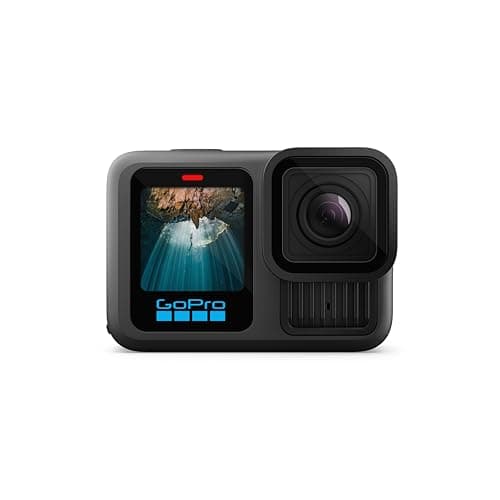
- 33ft (10m), no housing
- 1900mAh Enduro
- 1.5h at 5.3K30 / 2.5h at 1080p30
- 8.0
- 9.5
- 8.5
- 9.5
- 9.0
GoPro HERO13 Black
GoPro
The safest default for lake and trail: 33ft without a housing, the steadiest footage in the category, and a mount for literally everything.
Anyone who wants one camera to handle the kayak, the bike and the family trip
- HyperSmooth 6.0 with AutoBoost is the steadiest stabilization we can find published figures for
- Built-in mounting fingers plus 1/4-20 threads — it fits the GoPro ecosystem and a normal tripod
- Enduro battery is rated to keep full camera functionality down to 14°F (-10°C)
- Replaceable lens cover, so a scratched lens is a $20 problem and not a $400 one
- 33ft is shallower than the DJI and it is the shallowest of the three flagships
- Anything past 33ft needs the separate Protective Housing
- HB-Series lenses and ND filters are all extra purchases
Specs from GoPro HERO13 Black published specifications.
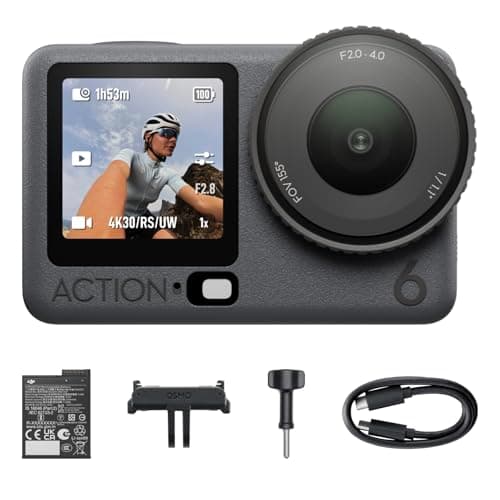
- 20m bare / 60m with case
- 1950mAh · 240 min at 1080p24
- 1/1.1" with f/2.0-f/4.0 aperture
- 9.5
- 9.0
- 9.5
- 8.0
- 9.5
DJI Osmo Action 6
DJI
The first action camera with a variable aperture, on the largest sensor in the class — and it keeps the 20m bare rating and the 240-minute runtime that made the Action 5 Pro the long-day pick.
Bright water and flat light in the same afternoon, on trips measured in days rather than hours
- 1/1.1-inch sensor — the largest in any flat action camera we track, and it shows in flat light
- Variable f/2.0-f/4.0 aperture: it can stop down for glare off the water instead of needing an ND filter
- Keeps the 20m bare rating, the 1950mAh removable battery and the 240-minute published runtime
- -20° to 45°C operating range, and 64GB built in (50GB usable) for the day you forget the card
- 4K at up to 120fps for slow motion, 8K/30 for cropping in the edit
- 149g, the heaviest flagship here — noticeable on a helmet, irrelevant on a hull
- 8K stops at 30fps and costs card space and battery for detail a phone screen never shows
- Mount ecosystem is still smaller than GoPro's, and the magnetic quick-release adapters are a separate purchase
- Sits at the top of the category price bracket — the Action 5 Pro does most of this for less
Specs from DJI Osmo Action 6 published specifications.
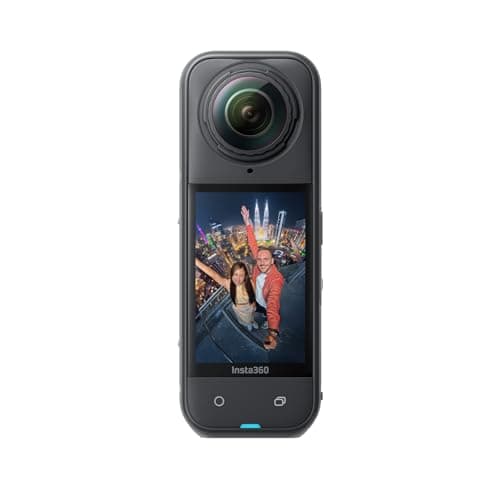
- IP68 to 49ft (15m)
- 2400mAh · ~88 min at 8K30
- User-replaceable
- 9.5
- 9.5
- 9.0
- 8.5
- 7.5
Insta360 X5
Insta360
15m rated, replaceable lenses, and the one camera that means you never have to aim while you are paddling.
Anyone filming themselves on the water who cannot stop to frame a shot
- 15m IP68 is the deepest bare rating of any camera on this site
- User-replaceable lenses — the single biggest fix for the 360 format's worst failure mode
- 185 minutes in Endurance mode at 5.7K24, which is a whole day of clips
- Invisible-selfie-stick reframing means you point the camera at nothing and pick the angle later
- Exposed lenses still scratch; lens guards are a purchase, not an option
- Every clip needs a reframing pass before anyone else can watch it
- 8K30 files are large and the edit is slower than flat footage
Specs from CineD, Insta360 X5 announcement with published specifications.
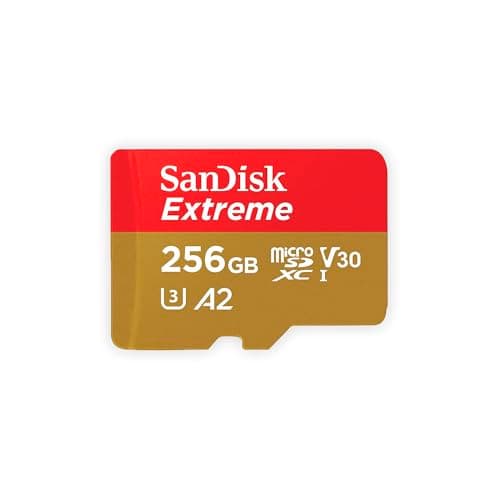
- U3 · V30 · A2 · Class 10
- Up to 190MB/s read, 130MB/s write
- Shock, temperature, water and X-ray proof
- 8.5
- 9.5
- 9.0
- 9.0
- 8.0
SanDisk Extreme microSDXC UHS-I
SanDisk
The card that appears on every manufacturer compatibility list, rated V30 and built to survive being wet, cold and dropped.
Anyone who does not want to think about cards again
- V30 guarantees a 30MB/s minimum sustained write, which is what high-bitrate video actually needs
- SanDisk publishes shockproof, temperature-proof, waterproof and X-ray-proof ratings
- Appears on GoPro, DJI and Insta360 tested-card lists more often than any other card
- Capacities up to 1TB, so a long trip does not need a card swap
- Write speeds vary by capacity — the 64GB tops out at 80MB/s write, the 128GB at 90MB/s
- Counterfeits are common; buy from a seller you trust
- V30 is the floor, not the ceiling — 8K on some cameras wants more headroom
Specs from SanDisk Extreme microSDXC UHS-I product page.
02
How we picked
We do not lab-test, bench-test or dive-test cameras, and we do not own test units. What we do instead is read the manufacturer's published specifications, read the independent reviews that genuinely do test, read owner reports for the failure modes specs never mention — fogging, salt corrosion, cold battery collapse, mount slippage — and then weight all of it for action cameras used on lake and trail. Where a number is not published, the page says “not published” rather than filling the cell.
The full method, including what we refuse to do, is on the editorial policy page.
- 30%Water survival
- Rated depth without a case, door design, and what the manufacturer actually publishes.
- 25%Stabilization in chop
- A kayak deck and a rooty trail shake in ways a handheld walk test never shows.
- 20%Battery in the cold
- Published runtime, spare-battery cost, and whether it charges while recording.
- 15%Mount ecosystem
- Finger mount, threaded, magnetic — and how much of it you have to re-buy.
- 10%Footage you will keep
- Lens replaceability, low-light behavior, and how much cutting the footage needs.
03
Questions people actually ask
01Is 4K enough for an action camera?
Yes, for almost everyone. 4K is 3840x2160, which is more pixels than a phone, a laptop or a normal television can display. Go higher only if you plan to crop into the frame, pull vertical clips out of wide ones, or use the heaviest stabilization modes.
02Is 8K on an action camera worth it?
On a flat camera, only as a cropping tool. DJI publishes 8K at 24, 25 or 30fps and a 120 Mbps maximum bitrate for the whole camera, so 8K runs at a frame rate too low for most action and spreads the same data over four times the pixels. On a 360 camera it is a different story, because the resolution covers the entire sphere and you only export a slice of it.
03What is the difference between 4K and 5.3K on a GoPro?
About 1.8 times the pixels per frame, going by the 5120x2880 figure retailer spec sheets list for the 5.3K mode — GoPro names the mode without publishing frame dimensions. The practical difference is crop headroom: record 5.3K, deliver 4K, and you can reframe or straighten without going soft.
04Does higher resolution drain the battery faster?
Yes. Both manufacturers publish their longest runtimes at 1080p with the screens off, and higher resolutions and frame rates mean more sensor readout, more processing and more heat. Heat is also what ends long clips, so on a hot day a lower resolution buys you recording time twice over.
05How much card space does 4K use on an action camera?
At the published 120 Mbps ceiling, roughly 900MB a minute, or about 54GB an hour, whatever resolution you choose at that bitrate. A 128GB card holds a little over two hours. Lower bit-rate settings use less, but GoPro does not publish a figure for its Standard setting, so plan from the 120 Mbps number.
06Should I shoot 4K60 or 5.3K30?
4K60 for anything that moves. Frame rate is what makes motion look right and what gives you the option of slowing a clip down; the extra pixels in 5.3K30 only pay off if you are cropping into a shot you could not aim.
04
Read this next
How to choose an action camera
The four specifications that outrank resolution for lake and trail use.
SD card speed classes compared
Which rating actually governs video, and which one is marketing.
DJI Osmo Action 6 review
The 8K camera in this guide, and what its aperture does instead.
360 camera vs action camera
Why resolution means something completely different on a sphere.
Best settings for water
The settings that change your footage more than resolution does.
05
Sources
- DJI Osmo Action 6 published specifications (8K frame size, 120 Mbps maximum bitrate)
- GoPro HERO13 Black published specifications (5.3K60, 4K120, 1080p240 modes)
- Have Camera Will Travel, HERO13 Black and HERO12 Black video bitrates (120 Mbps High setting)
- Adorama HERO13 Black listing (5120x2880 at up to 120 Mb/s)
- CineD, Insta360 X5 announcement with published specifications
- SanDisk Extreme microSDXC UHS-I product page
Specifications are quoted from the manufacturer pages above as they read on the dates shown. Where a figure is not published, this site says so rather than estimating one. We have not tested these products.