The best action cameras for paddle boarding
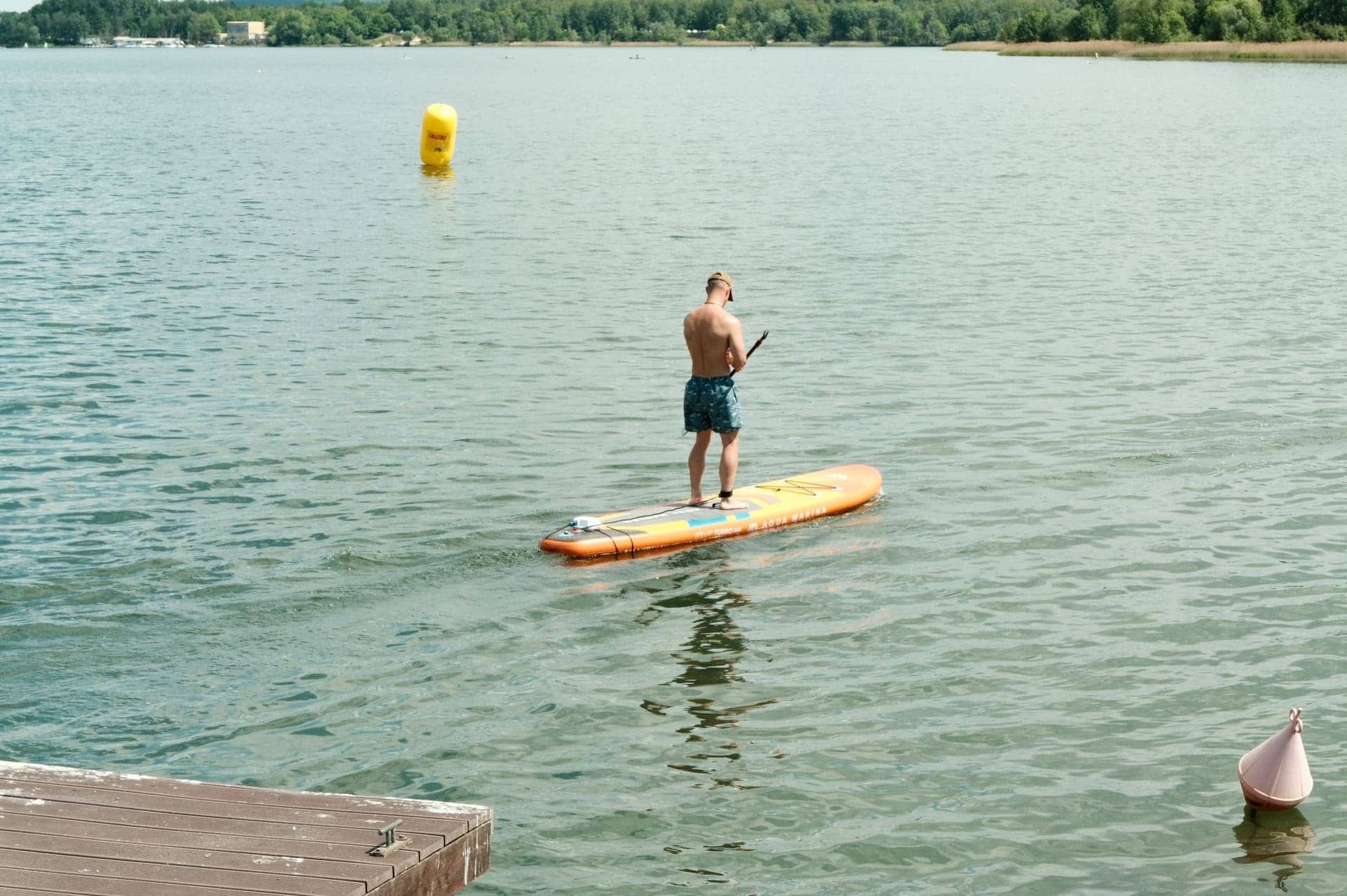
You are standing on the thing you are filming from, you will go in at some point, and a board has almost nowhere to bolt a camera. That is the whole problem.
Part of On the Water.
We earn a commission if you buy through our links, at no extra cost to you. It never changes what we recommend or the order we rank it in — how this works.
01
Quick picks
| # | Product | Best for | Score | Price |
|---|---|---|---|---|
| 01 | 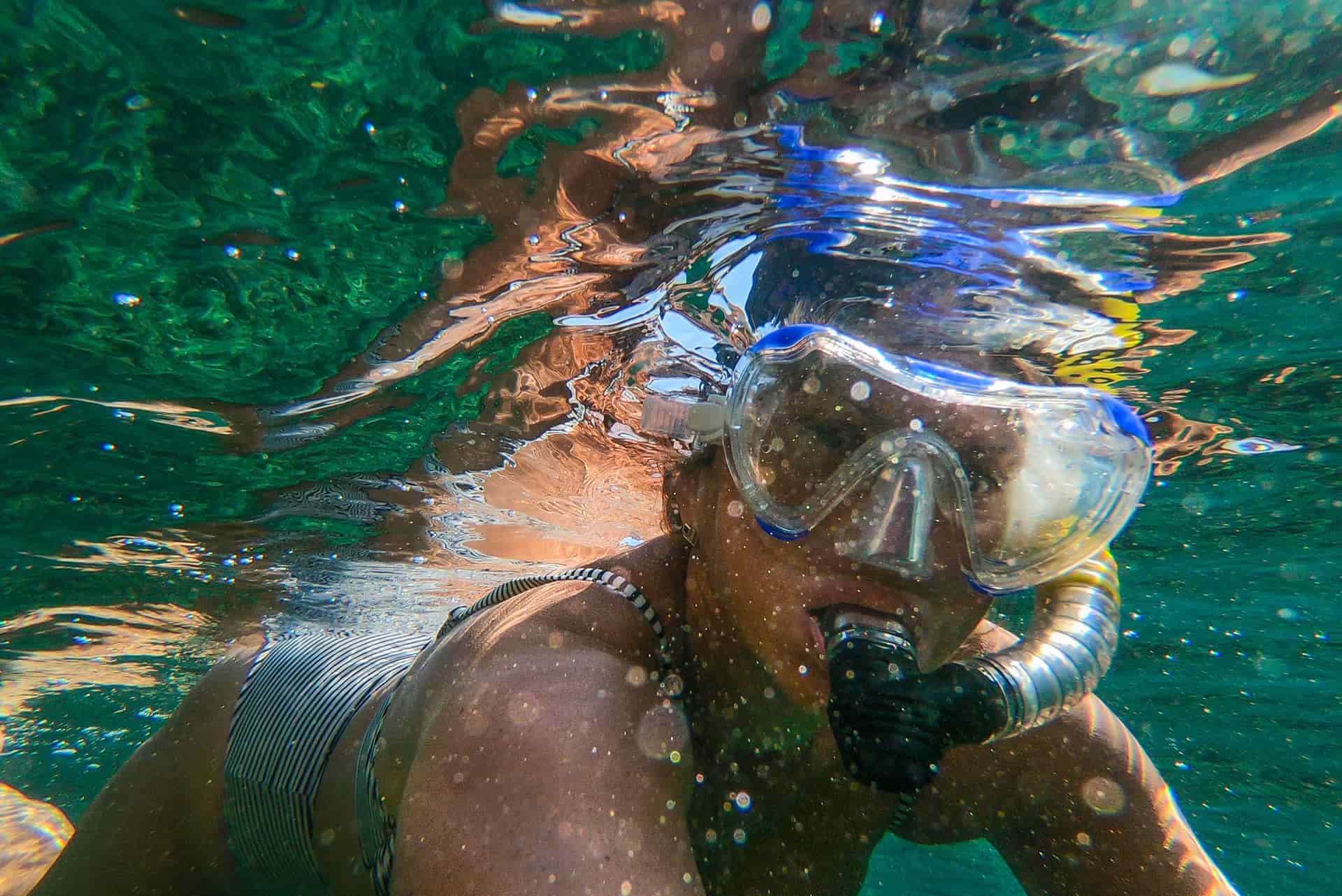 DJI Osmo Action 5 Pro Goes to 20m with no housing at all and publishes a 240-minute runtime — the two numbers that decide a long, wet, cold day. | Long paddles, cold water, and anyone tired of buying a housing to get past 10m | 9.1/ 10 | |
| 02 |  Insta360 X5 15m rated, replaceable lenses, and the one camera that means you never have to aim while you are paddling. | Anyone filming themselves on the water who cannot stop to frame a shot | 9.1/ 10 | |
| 03 | 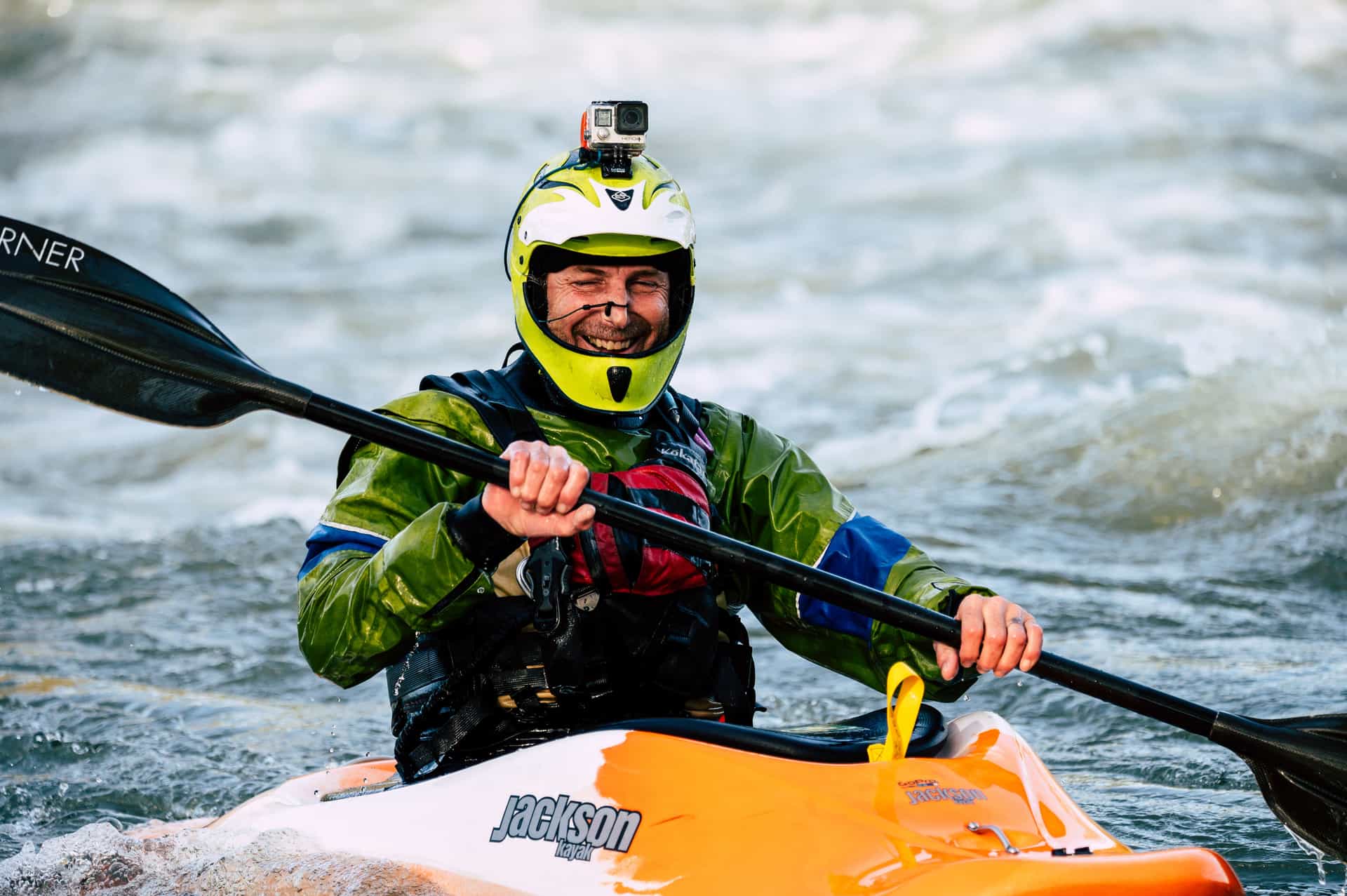 GoPro HERO13 Black The safest default for lake and trail: 33ft without a housing, the steadiest footage in the category, and a mount for literally everything. | Anyone who wants one camera to handle the kayak, the bike and the family trip | 8.8/ 10 | |
| 04 | 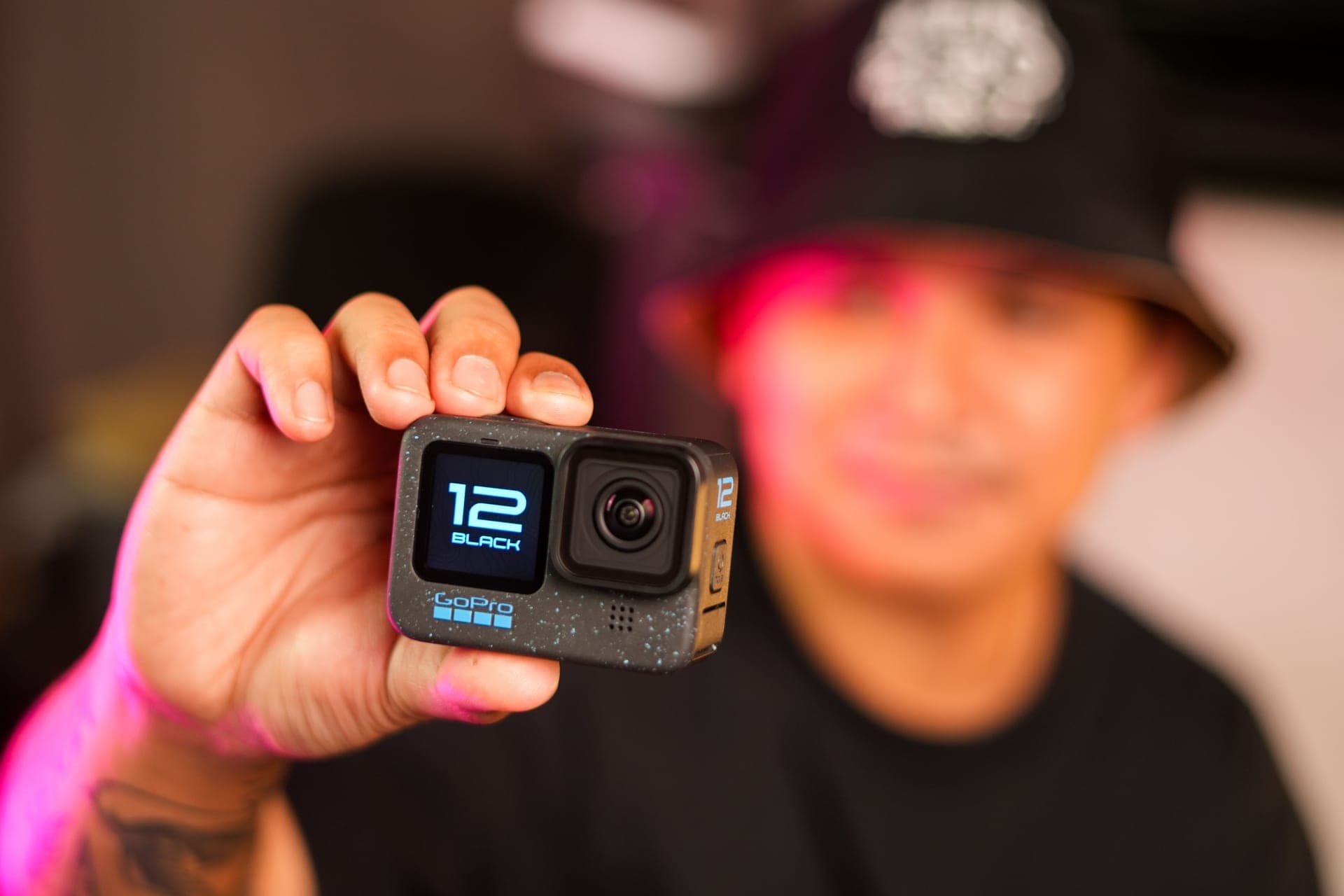 Insta360 Ace Pro 2 The best-looking image of the three flagships, with a flip screen that finally makes a chest-mounted shot something you can frame. | Family trips where you want the footage to look like more than dashcam clips | 8.6/ 10 | |
| 05 |  Insta360 GO Ultra 53 grams and IPX8 to 10m on its own — the camera you actually clip on for a paddle instead of leaving in the dry bag. | Hands-free clips where a full-size camera would never leave the bag | 7.6/ 10 | |
| 06 |  DJI Osmo Action 4 The previous DJI flagship, still 18m bare and still on shelves — the most water rating per dollar in this list. | Buyers who want deep-water capability without paying flagship money | 8.5/ 10 |
Scores are our editorial judgment from published specs and named independent reviews, weighted for lake and trail use — not measurements. We have not tested these units and do not own them.
02
How we picked
We do not lab-test, bench-test or dive-test cameras, and we do not own test units. What we do instead is read the manufacturer's published specifications, read the independent reviews that genuinely do test, read owner reports for the failure modes specs never mention — fogging, salt corrosion, cold battery collapse, mount slippage — and then weight all of it for action cameras used on lake and trail. Where a number is not published, the page says “not published” rather than filling the cell.
The full method, including what we refuse to do, is on the editorial policy page.
- 30%Water survival
- Rated depth without a case, door design, and what the manufacturer actually publishes.
- 25%Stabilization in chop
- A kayak deck and a rooty trail shake in ways a handheld walk test never shows.
- 20%Battery in the cold
- Published runtime, spare-battery cost, and whether it charges while recording.
- 15%Mount ecosystem
- Finger mount, threaded, magnetic — and how much of it you have to re-buy.
- 10%Footage you will keep
- Lens replaceability, low-light behavior, and how much cutting the footage needs.
What a board does to a camera that a kayak does not
Every water roundup on this site starts with what the boat does to the camera, because that is what actually separates the picks. A paddle board does four things, and only one of them overlaps with a kayak.
You fall in. This is the difference. In a kayak you are strapped into a hull and a swim is an event; on a board, going in is part of a normal session, and it happens in the least convenient way — sideways, fast, with the board flipping over the place your camera was mounted. So the depth rating you should shop on is not the depth you intend to reach. It is the margin you want between the camera and a surprise.
You are standing up. A board puts the camera three or four feet higher than a kayak deck, which is genuinely better footage — you see over the chop and into the water. It also means the camera inherits every correction your ankles make. That is slow, low-frequency sway rather than the sharp vibration a hull transmits, and it is the kind of motion modern stabilization handles well. Do not buy extra stabilization for a board; you already have enough.
There is nowhere to mount anything. A kayak has a deck, rails, track systems and rigging. A board has a deck pad, maybe four D-rings, maybe a molded action mount on the nose, and on an inflatable, a textured PVC surface that nothing sticks to. This is the part people get wrong, and it is covered properly below.
You are usually alone, on flat, bright water. Both hands are on a paddle, there is nobody to film you, and the light is often hard midday sun bouncing off a mirror. The first is a framing problem, the second is an exposure problem, and neither is fixed by spending more on a sensor.
How we ranked these
Five criteria, in the order they actually decide a purchase for someone standing on a board. The full scoring rubric sits above the picks; this is what the weighting means in plain terms.
| Criterion | What it really measures | Why it is weighted here |
|---|---|---|
| Bare depth rating | How far the camera can sink before the rating stops covering it | The fall is the most likely thing that happens to it all season |
| Mount options | Whether anything will hold on the board you own | A board offers fewer attachment points than any other craft we cover |
| Framing without hands | Whether you get a usable shot while both hands are on a paddle | Most paddling is solo and nobody is filming you |
| Screen in glare | Whether you can confirm the shot standing in full sun | Flat water at midday is the brightest condition on this site |
| Runtime | Published recording time, cold weather included | A long flat paddle is hours, and there is nowhere dry to swap a battery |
Where a camera actually goes on a paddle board
There are four places, and the right one depends far more on your board than on your camera. Work this out before you spend anything on a mount.
The nose. The classic shot — you, the board and the water going past. Hard boards take a flat adhesive mount on the deck without complaint, and plenty of modern boards ship with a GoPro-standard mount already molded in near the nose. The camera ends up low and forward, which means spray on the lens, so wipe it at the launch and again when you stop.
The paddle shaft. The most underrated angle on the water, and the one you cannot get any other way: the blade entering and leaving, with the board and the shoreline swinging behind it. A clamp rated for 9-35mm tubes covers most shafts. It adds swing weight you will feel after an hour, so mount it low on the shaft and accept that it is a shot you take for ten minutes, not all day.
On you. A chest mount over a PFD gives the paddle-and-water view and moves with your body, which on a board is smoother than it sounds. A chest mount beats a head mount here for the same reason it does on a kayak: your head turns constantly and your torso does not.
On a pole or floating grip. The one that produces the shot people actually watch, especially with a 360 camera, where the pole disappears. It occupies a hand, which on flat water is fine and in wind is not. See paddle and pole mounts for what holds and what does not.
The float is not optional here
On a kayak a float is strongly recommended. On a board it is the purchase that decides whether you own a camera next month. The failure mode is specific: you go in, the board flips, the mount takes a knock it was not designed for, and a camera with no buoyancy is gone in the first four seconds while you are still surfacing. Bright orange floats change that into a story you tell later.
Two things worth knowing. A float is sized to lift the camera, not the camera plus a housing plus a heavy mount — test the whole rig in a bath or the shallows once, which takes a minute. And a tether to a D-ring is a belt-and-braces addition, not a substitute: a tethered camera that sinks still drags on your rail and still gets lost when the tether chafes through. Both, ideally. The floats and tethers guide covers which model fits which camera door, because the part numbers genuinely matter.
Shooting into glare, which is most of paddle boarding
Flat water at midday is a mirror. Two consequences, both easy to fix and both usually ignored.
The first is that your screen becomes unreadable at exactly the moment you want to check framing. Front screens and flip screens are worth real money for this, which is part of why the Ace Pro 2 and the Action 5 Pro rank where they do. Barring that, frame at the launch and leave it alone.
The second is exposure. A bright sky and a bright surface will pull the meter up and leave you as a silhouette. Turning so the sun is behind you fixes this for free and costs nothing but a heading change. A polarizer helps, cuts the surface glare and lets you see into the water — and is one of the few filters worth carrying on flat water. More in best settings for water.
03
Every pick, in detail
- 20m bare / 60m with case
- 1950mAh · 240 min at 1080p24
- -20° to 45°C
- 9.5
- 9.0
- 9.5
- 8.0
- 9.0
DJI Osmo Action 5 Pro
DJI
Goes to 20m with no housing at all and publishes a 240-minute runtime — the two numbers that decide a long, wet, cold day.
Long paddles, cold water, and anyone tired of buying a housing to get past 10m
It wins on the one number that describes paddle boarding honestly: 20m without the Waterproof Case. You are going to fall off. Not maybe — everyone does, in the first session and then occasionally forever after, and the camera goes in with you. A camera rated to 20m bare treats that as a non-event, whether it lands in three feet of lake or sinks eight feet before your leash swings you back.
The other two numbers back it up. DJI publishes 240 minutes at 1080p/24 with the screens off, which is longer than any other manufacturer figure in this group, and a -20°C operating range that matters on a flat-calm October morning when the water is still and the air is not.
- 20m without the Waterproof Case — double the bare-camera depth of the HERO13 Black
- DJI publishes 240 minutes of recording at 1080p/24 with screens off, the longest figure in this set
- Rated to -20°C, which matters more on an October lake than any resolution number
- 1/1.3-inch sensor holds detail when the light goes flat
- Mount ecosystem is smaller than GoPro's, and magnetic quick-release adapters are their own purchase
- 146g — the heaviest of the flagship three
- Fewer third-party mounts and filters exist for it
Specs from DJI Osmo Action 5 Pro published specifications.
- IP68 to 49ft (15m)
- 2400mAh · ~88 min at 8K30
- User-replaceable
- 9.5
- 9.5
- 9.0
- 8.5
- 7.5
Insta360 X5
Insta360
15m rated, replaceable lenses, and the one camera that means you never have to aim while you are paddling.
Anyone filming themselves on the water who cannot stop to frame a shot
Most people paddle alone, and a flat camera pointed at nothing is how you come home with forty minutes of empty water. The X5 fixes that structurally rather than with a better mount: it records everything at once, and you pick the angle afterwards. On a pole or an extended grip the stick disappears from the frame, so the shot looks like a drone following you across the lake.
15m IP68 is the deepest bare rating on this page, and the lenses are user-replaceable, which matters when the camera is on a pole above a hard board. The honest cost is the edit: every clip needs a reframing pass before anyone else can watch it.
- 15m IP68 is the deepest bare rating of any camera on this site
- User-replaceable lenses — the single biggest fix for the 360 format's worst failure mode
- 185 minutes in Endurance mode at 5.7K24, which is a whole day of clips
- Invisible-selfie-stick reframing means you point the camera at nothing and pick the angle later
- Exposed lenses still scratch; lens guards are a purchase, not an option
- Every clip needs a reframing pass before anyone else can watch it
- 8K30 files are large and the edit is slower than flat footage
Specs from CineD, Insta360 X5 announcement with published specifications.
- 33ft (10m), no housing
- 1900mAh Enduro
- 1.5h at 5.3K30 / 2.5h at 1080p30
- 8.0
- 9.5
- 8.5
- 9.5
- 9.0
GoPro HERO13 Black
GoPro
The safest default for lake and trail: 33ft without a housing, the steadiest footage in the category, and a mount for literally everything.
Anyone who wants one camera to handle the kayak, the bike and the family trip
Third here only because 33ft is the shallowest bare rating of the flagships, and on a board the swim is the thing you are insuring against. Everything else is the strongest in the group: the mount ecosystem is the reason you can rig a board at all, the Floaty and floating grips are built for this body first, and HyperSmooth 6.0 cleans up the low-frequency sway that a board transmits into every shot. If your board already has GoPro-standard mounts molded or glued to the nose, this is the least friction you will have.
- HyperSmooth 6.0 with AutoBoost is the steadiest stabilization we can find published figures for
- Built-in mounting fingers plus 1/4-20 threads — it fits the GoPro ecosystem and a normal tripod
- Enduro battery is rated to keep full camera functionality down to 14°F (-10°C)
- Replaceable lens cover, so a scratched lens is a $20 problem and not a $400 one
- 33ft is shallower than the DJI and it is the shallowest of the three flagships
- Anything past 33ft needs the separate Protective Housing
- HB-Series lenses and ND filters are all extra purchases
Specs from GoPro HERO13 Black published specifications.
- 39ft (12m) / 60m with dive case
- 1800mAh · 180 min published
- 1/1.3" with Leica lens
- 8.5
- 8.5
- 9.0
- 7.5
- 9.5
Insta360 Ace Pro 2
Insta360
The best-looking image of the three flagships, with a flip screen that finally makes a chest-mounted shot something you can frame.
Family trips where you want the footage to look like more than dashcam clips
The pick when the footage is the point rather than the record. The 1/1.3-inch sensor and 8K capture hold detail in the exact conditions a board gives you — hard midday sun on flat water, a bright sky and a dark hull edge in the same frame. The flip screen is the underrated part: standing on a board with the camera on a nose mount, it is the only way to check you are actually in the shot without getting back off. 12m bare is plenty for a fall; it is short of the DJI if you free-dive off the board.
- 8K30 with a 1/1.3-inch sensor — the most detail in the group
- 12m bare, which clears every snorkel depth without a housing
- 180-minute published battery life and 80% charge in 18 minutes
- Flip screen means you can frame a shot you are standing in front of
- 12m is still short of the DJI's 20m
- The dive case is a separate purchase for anything past 12m
- Fewer mount options than GoPro, and an adapter tax if you switch
Specs from Insta360 Ace Pro 2 published specifications.
- IPX8 to 33ft (10m), camera only
- 53g
- Up to 170 min with the Action Pod
- 7.0
- 8.0
- 7.5
- 8.0
- 8.0
Insta360 GO Ultra
Insta360
53 grams and IPX8 to 10m on its own — the camera you actually clip on for a paddle instead of leaving in the dry bag.
Hands-free clips where a full-size camera would never leave the bag
53 grams, clipped to a PFD strap or a hat brim, is the camera that comes on the paddle you were not planning to film. Nothing to rig, nothing to bolt to a board that has no bolt points. IPX8 to 10m covers the camera itself — read that rating separately from the Action Pod, which is not the same. The catch on a board is the magnetic mounting: convenient on land, and not a mechanical lock if you go in hard and the board comes over the top of you. Clip it through something.
- 53g means it goes on a hat brim, a PFD strap or a chest magnet and you forget it is there
- IPX8 to 10m for the camera itself, with a 1/1.28" sensor that is far larger than the size suggests
- Action Pod adds a flip screen and the long runtime when you want it
- Removable microSD, so you are not stuck with fixed onboard storage
- The Action Pod is not rated to the same depth as the camera — read the two ratings separately
- Magnetic mounting is convenient but is not a mechanical lock in real chop
- No interchangeable lens cover, so a scratch is permanent
Specs from Insta360 GO Ultra published specifications.
- 18m bare / 60m with case
- 1770mAh · 160 min at 1080p24
- -20° to 45°C
- 9.0
- 8.5
- 8.5
- 8.0
- 8.0
DJI Osmo Action 4
DJI
The previous DJI flagship, still 18m bare and still on shelves — the most water rating per dollar in this list.
Buyers who want deep-water capability without paying flagship money
18m bare, the same 1/1.3-inch sensor as the Action 5 Pro, and usually a meaningful amount less money. For paddle boarding specifically, almost nothing is lost: you are on flat water in good light most of the time, so the shorter 160-minute runtime and the missing front screen are the real trade. It is superseded, which means accessory support will taper off first — that is the reason it is sixth rather than third.
- 18m without a case still beats every current GoPro by a wide margin
- Same 1/1.3-inch sensor size as the Action 5 Pro
- Rated to -20°C like its replacement
- Usually the cheapest way into serious bare-camera depth
- 160 minutes published against the Action 5 Pro's 240
- Superseded, so accessories and support will taper off first
- No front OLED — the Action 5 Pro's front screen is genuinely more useful for framing
Specs from DJI Osmo Action 4 published specifications.
04
What decides this category
Buy on the bare rating, not the housed one
A camera advertised at 60m is almost always a 10m camera inside a 60m housing, and on a board a housing is the wrong answer anyway: it muffles audio, adds a fogging risk and gives you an O-ring to inspect before a session you were going to do on a whim. What you want is a camera you can take in as it comes. Everything on this page clears that; the difference between 10m and 20m is margin for the swim, not depth you plan to use.
Check your board before you check the spec sheet
Go and look at it. Count the D-rings, find out whether the nose has a molded action mount, and feel whether the deck is hard smooth fiberglass or textured PVC. That single check decides whether you are buying an adhesive mount, a clamp, or a chest harness — and it is worth more than any camera comparison, because a great camera you cannot attach to the board films the inside of a dry bag.
Weight matters more than it does anywhere else
On a pole or a paddle shaft you are holding the camera at the end of a lever, in wind, while balancing. The 53g GO Ultra and a 150g flagship are different experiences after an hour. This is the one category where the smallest camera is a serious answer rather than a compromise.
Runtime beats resolution on a long paddle
There is nowhere dry to change a battery on a board, and doing it while floating is how people drop things. Published runtimes are the honest comparison here, and the gap between the longest and the shortest figure in this group is more than an hour. If you paddle for a morning, shoot 1080p or 4K30 and finish with charge left rather than shooting 5.3K and stopping halfway.
What we would skip
A gimbal — you are already stabilized well enough, and it is one more thing to drop in the lake. A dome port, unless split-level shots are specifically why you are buying. And a suction cup, unless your board is genuinely hard and genuinely smooth. Put that money into a float and a second battery.
05
Questions people actually ask
01Do I really need a waterproof camera for paddle boarding?
Yes. Not because you will be filming underwater, but because you will fall in with it. Every pick here survives full submersion without a housing, and the ones with 18-20m bare ratings give you margin for the drop you did not see coming. A water-resistant camera in a case is a worse answer on a board than a rated camera on its own.
02Where do you mount an action camera on a paddle board?
Four places, in order of how often they get used: a nose mount on the deck, a clamp on the paddle shaft, a chest mount on you, and a pole or floating grip in one hand. Which of the first two is available depends entirely on your board — hard boards take adhesive mounts, inflatables mostly do not.
03Will a suction cup mount hold on an inflatable SUP?
No. Suction needs a smooth, non-porous, clean surface, and a textured EVA deck pad over PVC is the opposite of all three. Use a D-ring with a tether, clamp to the paddle shaft, or wear the camera instead.
04Is a 360 camera better than a normal action camera for SUP?
For paddling alone, often yes — you never have to aim, and the invisible-pole shot is the one that makes flat-water footage watchable. The trade is a reframing pass on every clip before anyone can watch it. If you paddle with someone who can film you, a flat camera gets you a finished file straight off the card.
05How do I stop the camera sinking if I go in?
A float attached to the camera itself, not to a mount you might swap off, plus a short tether to a D-ring. Test the combination with your actual rig once in shallow water — a float sized for a bare camera will not lift that camera plus a heavy mount.
06What settings should I use on flat, bright water?
Shoot with the sun behind you, use a polarizer if you carry one, and drop to 4K30 or 1080p if the paddle is long — runtime is worth more than resolution you will never notice on a phone screen. Lock white balance if the whole session is in the same light.
06
Read this next
Paddle and pole mounts
The two angles a board gives you that nothing else does, and what holds on a shaft.
Floats, tethers and not losing your camera
The cheapest purchase on this page, and the part numbers that have to match.
How to film yourself paddling
Four rigs for when both hands are busy, and the six shots that make a paddle watchable.
Best waterproof action cameras
Every current camera ranked by real bare depth rating rather than marketing language.
Best action cameras for kayaking
If you paddle sitting down too, the weighting changes: spray, vibration and cold.
07
Sources
- DJI Osmo Action 5 Pro published specifications
- GoPro HERO13 Black published specifications
- GoPro Suction Cup product page (smooth, non-porous surface requirement)
- CineD, Insta360 X5 announcement with published specifications
- Insta360 Ace Pro 2 published specifications
- Insta360 GO Ultra published specifications
- DJI Osmo Action 4 published specifications
Specifications are quoted from the manufacturer pages above as they read on the dates shown. Where a figure is not published, this site says so rather than estimating one. We have not tested these products.