The best action cameras for kids
The specs that decide this are not the ones on the box. Can they turn it on without you, and what does it cost you the day it goes in the water?
Part of Cameras.
We earn a commission if you buy through our links, at no extra cost to you. It never changes what we recommend or the order we rank it in — how this works.
01
Quick picks
| # | Product | Best for | Score | Price |
|---|---|---|---|---|
| 01 | 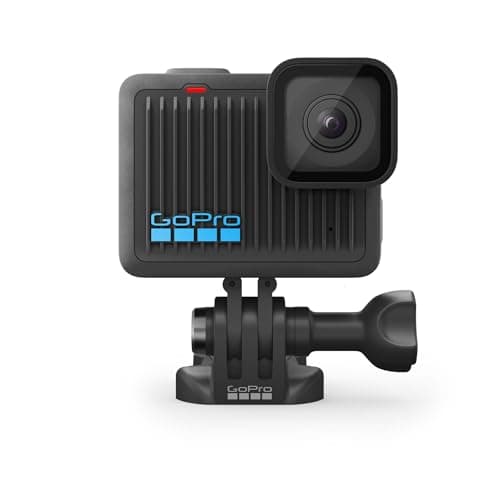 GoPro HERO (2024) The cheapest real GoPro, and the one whose 16ft rating you have to take seriously before you take it snorkeling. | A first camera, a kid's camera, or a second angle that mounts anywhere | 7.1/ 10 | |
| 02 | 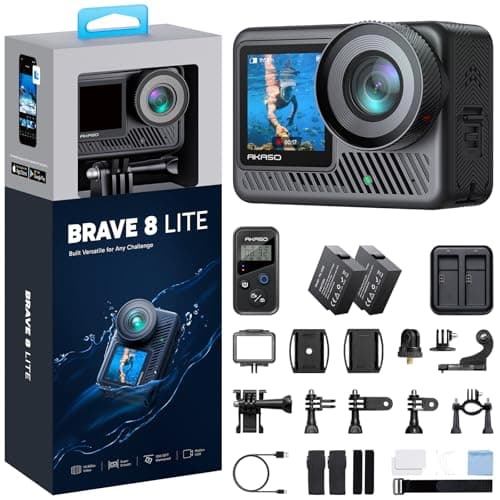 AKASO Brave 8 Lite Two batteries and a bag of mounts in the box at a fraction of flagship money — buy it knowing the stabilization gives up first. | A pool, a calm lake, a first camera you are not precious about | 7.4/ 10 | |
| 03 | 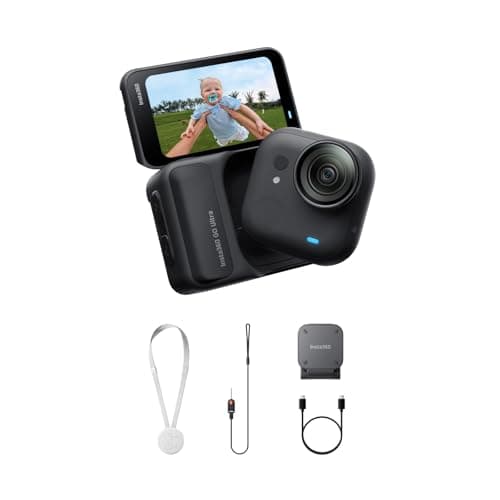 Insta360 GO Ultra 53 grams and IPX8 to 10m on its own — the camera you actually clip on for a paddle instead of leaving in the dry bag. | Hands-free clips where a full-size camera would never leave the bag | 7.6/ 10 | |
| 04 | 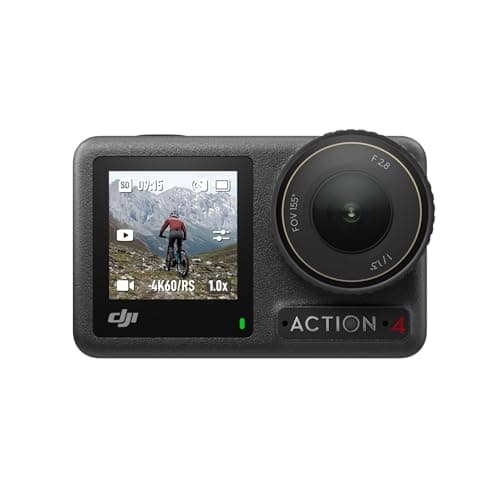 DJI Osmo Action 4 The previous DJI flagship, still 18m bare and still on shelves — the most water rating per dollar in this list. | Buyers who want deep-water capability without paying flagship money | 8.5/ 10 | |
| 05 | 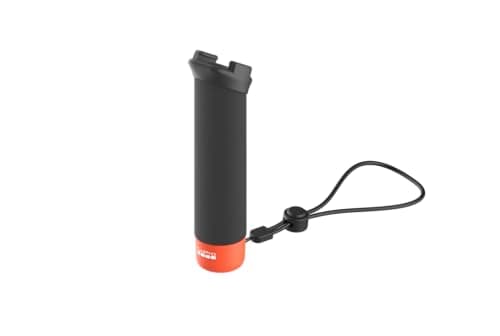 GoPro The Handler Floating Hand Grip A grip that floats bright-orange-end-up when you drop it, with a quick release so the camera moves to a mount without tools. | Handheld water shots — snorkeling, swimming, filming from the boat | 8.2/ 10 | |
| 06 | 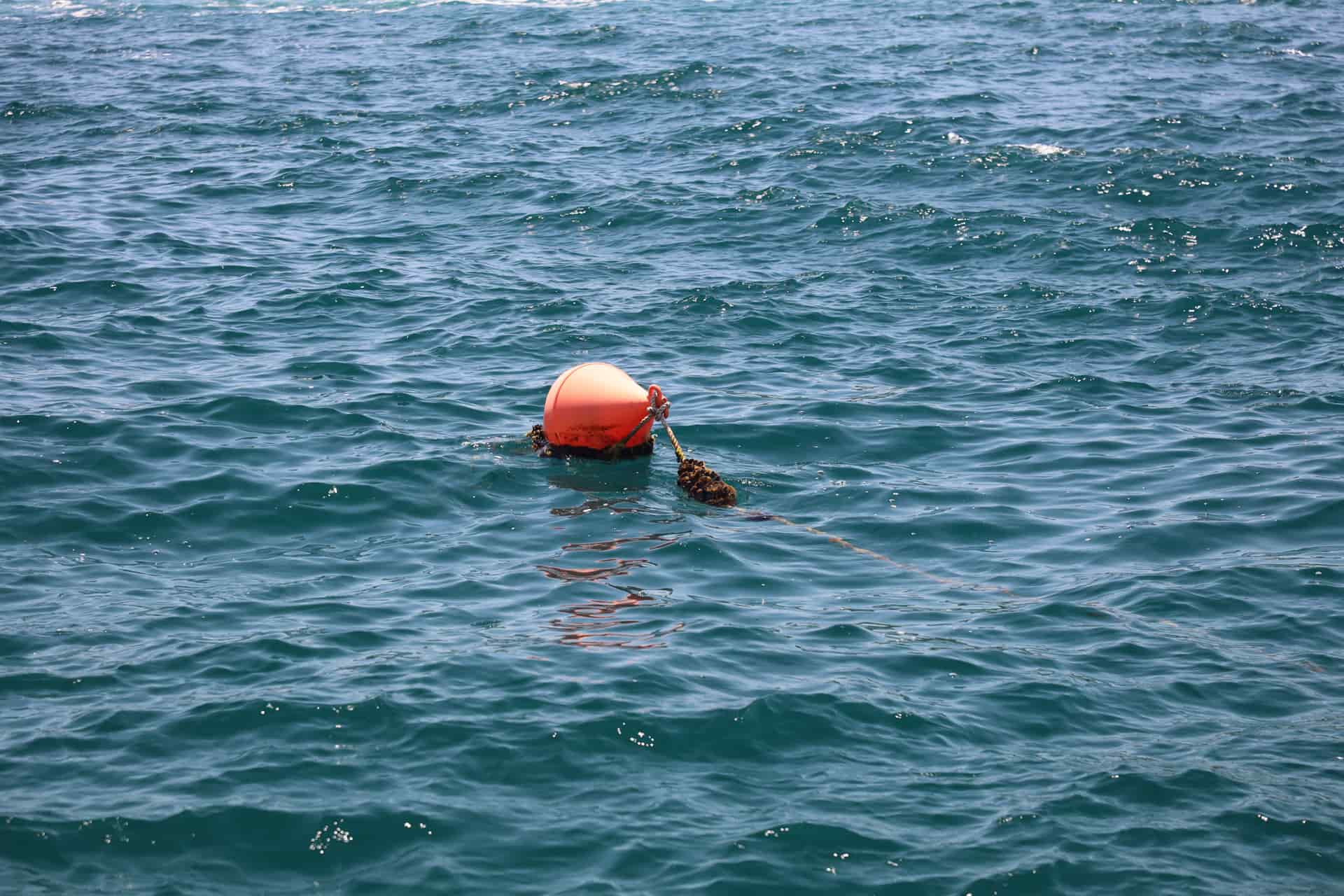 GoPro Floaty The one accessory that decides whether a dropped camera is a bad moment or a lost camera. Buy it with the camera, not after. | Every single person putting a camera near open water | 8.7/ 10 |
Scores are our editorial judgment from published specs and named independent reviews, weighted for lake and trail use — not measurements. We have not tested these units and do not own them.
02
How we picked
We do not lab-test, bench-test or dive-test cameras, and we do not own test units. What we do instead is read the manufacturer's published specifications, read the independent reviews that genuinely do test, read owner reports for the failure modes specs never mention — fogging, salt corrosion, cold battery collapse, mount slippage — and then weight all of it for action cameras used on lake and trail. Where a number is not published, the page says “not published” rather than filling the cell.
The full method, including what we refuse to do, is on the editorial policy page.
- 30%Water survival
- Rated depth without a case, door design, and what the manufacturer actually publishes.
- 25%Stabilization in chop
- A kayak deck and a rooty trail shake in ways a handheld walk test never shows.
- 20%Battery in the cold
- Published runtime, spare-battery cost, and whether it charges while recording.
- 15%Mount ecosystem
- Finger mount, threaded, magnetic — and how much of it you have to re-buy.
- 10%Footage you will keep
- Lens replaceability, low-light behavior, and how much cutting the footage needs.
What actually decides this
Every spec that dominates action camera reviews — sensor size, 8K, bitrate, stabilization generation — is close to irrelevant when the user is eight. What decides whether a camera gets used, and whether you regret buying it, is a different list entirely.
Can they work it without you? A camera a child needs an adult to start is a camera that films what the adult thought was interesting. One obvious shutter button, a screen that shows whether it is recording, and no menu diving is the whole requirement.
What happens when it is dropped, submerged or sat on? All three will happen. Bare waterproofing without a housing matters more than depth numbers, because a housing is one more thing to close properly and a child will not.
What does total loss cost you? This is the question people answer last and should answer first. A camera left on a riverbank or dropped off a dock is a normal outcome, not a disaster scenario, and the right budget is one where that is survivable.
Does it work on day one? A camera with no card records nothing and a camera with no mount sits on a shelf. The pick that arrives with batteries, a charger and mounts in the box ranks higher here than it does anywhere else on this site for exactly that reason.
How we ranked these
Five criteria, weighted for a child rather than for a buyer. The scoring rubric above the picks is the site-wide action camera one; this is what each criterion means when the camera belongs to a kid.
| Criterion | What it measures here | Why it is weighted this way |
|---|---|---|
| Can a child operate it | Button count, menu depth, how obvious recording is | A camera they cannot start alone films what you chose, not what they saw |
| Survivability | Bare water rating, build, replaceable lens cover | Drops and submersion are the expected case, not the edge case |
| Cost of loss | What you are out if it never comes home | The most useful spec on this page and the one no manufacturer prints |
| Weight worn | Grams on a small head or chest | Proportionally far heavier on a child; a heavy camera gets removed and left behind |
| Complete in the box | Batteries, charger, mounts included | Day-one completeness is the difference between a camera that gets used and one that waits for an order |
The honest answer about cameras with games
People search for a kids' adventure camera with built-in games, and it is worth being straight about what exists. No action camera in this roundup has games, and none of the real action camera brands make one that does. The cameras that advertise built-in games are a different product category: cheap kids' digital cameras, usually plastic, usually with a small low-resolution sensor, sold on the games and the color rather than on the footage.
They are not a scam and for a five or six-year-old who mostly wants a toy they are a reasonable purchase. But they are a toy with a camera in it, not a camera — the footage is generally poor, the waterproofing is often a claim rather than a rating, and they will not mount to a bike or a kayak. If what you want is clips of your child's actual adventures that are still worth watching in five years, that is this page. If what you want is a gift that entertains on a rainy afternoon, buy the toy and know what you bought.
Matching the camera to the age
No manufacturer publishes an age rating for these and we are not going to invent one. What we can say is what changes as kids get older, because it changes what you should buy.
Younger children need one button and nothing else. They will not frame a shot, they will not check the screen, and they will point the camera at the ground for ten minutes. The right answer is the cheapest simple body plus a float, mounted somewhere that points roughly where they are looking — a chest harness beats a helmet at this age because it is easier to put on and it cannot be knocked askew.
Older children start caring about the footage, which changes everything. They want the screen, they want to see themselves, they want to edit. That is the point at which a front-facing screen and a swappable battery justify their cost, and the point at which the camera stops being a toy and starts being the thing they do.
Teenagers are just buyers with a smaller budget. Send them to the beginner picks and the budget roundup, which are written for exactly that: somebody who cares about the result and cannot spend flagship money.
Water, which is where this gets expensive
Most of the reasons a child's camera dies involve water, and almost none of them involve depth.
The pool is not the problem; the drop is. Every camera on this page survives a pool. What kills cameras is being dropped off a dock, left in the shallows and forgotten, or handed over with a door not properly closed. A float and a short tether fixes the first two for very little money and is the single highest-value purchase here.
Teach the door check. One habit, worth more than any spec: before it goes in the water, check the door is latched and there is no sand or hair in the seal. A camera that floods does so because of a seam of grit, not because the rating was wrong. Our rinse and care routine is a two-minute job a child can do themselves and genuinely doubles the life of the camera.
Supervision is not a camera feature. Worth saying plainly because the footage creates the temptation: nobody should be going further out, deeper, or faster to get a shot, and filming is never a reason for a child to be in the water without an adult watching. The camera is an accessory to the swim, never the point of it.
Where to mount it on somebody small
Adult mounting advice transfers badly, because the geometry is different and the straps mostly do not fit.
Chest harness. The best default for children. It is lower than a helmet so it catches hands, handlebars and whatever they are holding, it cannot get knocked sideways, and the footage is steadier because a torso moves less than a head. Check the harness adjusts small enough — the chest mount roundup lists the adjustment ranges.
Helmet. Good for bikes and skiing, with two caveats: never drill or glue a mount in a way that compromises a helmet's structure, and a heavy camera on a small head is a genuine comfort problem. How to mount a camera on a helmet covers adhesive versus strap, which is the decision that matters here.
Handheld with a float grip. The one kids like most, because they can see what they are filming and show it to people. Expect wobbly footage and accept it; the stabilization in every pick above is doing more work than you think.
On the boat, not on the child. The forgotten option and often the best one. A clamp or suction mount on the kayak, the paddleboard or the dock produces the footage that shows the whole scene including your kid in it, which is usually the clip you actually wanted. Kayak mounts covers the fit question.
Two things worth settling before you hand it over
Other people's children. Pools, beaches and play parks are places where filming has social rules and sometimes written ones. Plenty of public pools and leisure centers restrict cameras outright. It is worth a thirty-second conversation about not filming other kids, and about asking before posting anything with somebody else in it. This is not legal advice; it is how to avoid an awkward conversation at the side of a pool.
What happens to the footage. Most editing apps require an account, and the account terms, age limits and sharing defaults are a parent's decision rather than ours — check the app store listing for the camera you buy. The lowest-friction setup is to have the card come to you, and to do the edit together. It is also, by a distance, the best part: editing a trip video people watch is a job that children are startlingly good at.
03
Every pick, in detail
- 16ft (5m)
- 4K30, 2.7K60 slo-mo
- Built in, not user-removable
- 6.0
- 7.5
- 6.0
- 9.0
- 7.0
GoPro HERO (2024)
GoPro
The cheapest real GoPro, and the one whose 16ft rating you have to take seriously before you take it snorkeling.
A first camera, a kid's camera, or a second angle that mounts anywhere
The top pick because it is the simplest real camera GoPro sells and the cheapest way into a body that actually works. It is 46% less mass than a HERO13 Black, which matters a great deal when the person wearing it weighs 50lb, and it is simple enough to hand to somebody who has never used a camera — one shutter button, a small screen, and HyperSmooth doing the work in the background so their footage is watchable without them knowing what stabilization is.
Two cons that are genuinely relevant for a child. The 16ft (5m) water rating is a pool-and-shallows rating, not a diving one, so it is fine for jumping off a dock and wrong for a snorkeling holiday. And the battery is built in — when it is flat, the afternoon is over, and you cannot hand them a charged spare. For a kid who films in ten-minute bursts that is rarely a problem; for a full day out it is the reason to look at the next pick.
- Genuinely tiny — 46% less mass than HERO13 Black
- Built-in mounting fingers, and GoPro lists it as compatible with 35+ mounts
- HyperSmooth stabilization at the lowest GoPro price
- Simple enough to hand to someone who has never used one
- 16ft (5m) is a snorkel-adjacent rating, not a diving one
- The battery is built in — you cannot carry a spare, you carry a power bank
- 4K30 is the ceiling; no 4K60, no high-frame-rate 4K
Specs from GoPro HERO published specifications.
- IPX8 10m / 60m with case
- 2 × 1550mAh included
- 140 min at 4K / 150 min at 1080p
- 7.5
- 6.5
- 8.0
- 8.5
- 6.5
AKASO Brave 8 Lite
AKASO
Two batteries and a bag of mounts in the box at a fraction of flagship money — buy it knowing the stabilization gives up first.
A pool, a calm lake, a first camera you are not precious about
The pick if the camera is going to be treated like a toy, which is the honest expectation for most children. It arrives with two 1550mAh batteries, a charger and seven mounts in the box, so there is nothing else to order on day one and a flat battery is a thirty-second swap rather than the end of the day. AKASO publishes 140 minutes at 4K and 150 minutes at 1080p across those two cells. It is IPX8 to 10m bare, which matches a HERO13 Black on paper, and it uses GoPro-standard two-prong mounting so every mount on this site fits it.
The trade is real and we would rather say it plainly: SuperSmooth stabilization is a visible step behind HyperSmooth and RockSteady once the ground gets rough, and low light is where the price shows most. For a pool, a calm lake, a bike on a path and a trampoline, none of that will bother a nine-year old. For a kid who genuinely rides rough trail, it will.
- IPX8 to 10m bare, which matches the HERO13 Black's rating on paper
- Ships with two batteries, a charger and seven mounts — nothing else to buy on day one
- 4K60 and dual screens at a price well under the flagships
- Uses GoPro-standard two-prong mounting, so the whole accessory world fits
- SuperSmooth stabilization is a step behind HyperSmooth and RockSteady in chop
- The 60m rating belongs to the separate housing, not the camera
- Low light is where the price shows most
Specs from AKASO Brave 8 Lite published specifications.
- IPX8 to 33ft (10m), camera only
- 53g
- Up to 170 min with the Action Pod
- 7.0
- 8.0
- 7.5
- 8.0
- 8.0
Insta360 GO Ultra
Insta360
53 grams and IPX8 to 10m on its own — the camera you actually clip on for a paddle instead of leaving in the dry bag.
Hands-free clips where a full-size camera would never leave the bag
53 grams, and that is why it is here. A full-size camera on a child's head is proportionally an enormous weight and they take it off; this one clips to a shirt, a hat brim or a strap and they forget it is there, which is the difference between footage and a camera left on the kitchen table. The 1/1.28-inch sensor is far better than the size suggests, and a removable microSD means a long day is not capped by fixed storage.
Two honest problems for this use. It is the most expensive pick on the page, which is the opposite of what you want on a camera a child might lose — and the magnetic mounting that makes it so easy for small hands is not a mechanical lock, so near water or on a bike it needs a strap or a clamp as well. Read the camera's water rating and the Action Pod's separately; they are not the same number.
- 53g means it goes on a hat brim, a PFD strap or a chest magnet and you forget it is there
- IPX8 to 10m for the camera itself, with a 1/1.28" sensor that is far larger than the size suggests
- Action Pod adds a flip screen and the long runtime when you want it
- Removable microSD, so you are not stuck with fixed onboard storage
- The Action Pod is not rated to the same depth as the camera — read the two ratings separately
- Magnetic mounting is convenient but is not a mechanical lock in real chop
- No interchangeable lens cover, so a scratch is permanent
Specs from Insta360 GO Ultra published specifications.
- 18m bare / 60m with case
- 1770mAh · 160 min at 1080p24
- -20° to 45°C
- 9.0
- 8.5
- 8.5
- 8.0
- 8.0
DJI Osmo Action 4
DJI
The previous DJI flagship, still 18m bare and still on shelves — the most water rating per dollar in this list.
Buyers who want deep-water capability without paying flagship money
The pick for a family that will share one camera rather than buy a child their own. It is the previous DJI flagship and still goes to 18m bare, which is deeper than anything else on this page and takes the pool, the lake, snorkeling and a water park off the list of things you have to think about. Rated -20°C to 45°C, 1770mAh and 160 published minutes at 1080p24, with a swappable battery.
Why it is not higher: it is a superseded flagship, so it costs flagship-adjacent money and accessory support will taper off before the newer bodies do. It is also the most camera on this page, with the most menus — if the point is that your child operates it alone, the simpler picks above do that job better. There is no front screen on this model, which is the one feature kids filming themselves actually use.
- 18m without a case still beats every current GoPro by a wide margin
- Same 1/1.3-inch sensor size as the Action 5 Pro
- Rated to -20°C like its replacement
- Usually the cheapest way into serious bare-camera depth
- 160 minutes published against the Action 5 Pro's 240
- Superseded, so accessories and support will taper off first
- No front OLED — the Action 5 Pro's front screen is genuinely more useful for framing
Specs from DJI Osmo Action 4 published specifications.
- Bright orange end pops to the surface
- Quick release, switches between mounts
- Non-slip construction
- 8.0
- 8.5
- 9.0
- 7.0
GoPro The Handler Floating Hand Grip
GoPro
A grip that floats bright-orange-end-up when you drop it, with a quick release so the camera moves to a mount without tools.
Handheld water shots — snorkeling, swimming, filming from the boat
A grip rather than a camera, and for a child near water it is close to mandatory. It floats bright-orange-end-up when it is dropped, which it will be, and the quick-release base means the same camera moves from their hand to a deck mount or a bike mount without tools or a screwdriver. The non-slip body works with wet, cold hands, which is the condition children's hands are usually in.
Worth knowing: it floats the grip and the camera, not the grip plus a heavy dive housing, so test the rig you actually own in a sink before you trust it in a lake. It is also bulky in a pocket, and not every configuration ships with a wrist strap — add one, because a tether is what stops the drop happening at all.
- Floats end-up so you can actually spot it in chop
- Quick-release base means the same camera goes from hand to deck mount in seconds
- Non-slip even with wet or cold hands
- GoPro lists it specifically for surfing, kayaking and wakeboarding
- It floats the grip; a heavy housing on the end changes that calculation
- No wrist strap included in every configuration — add one
- Bulky in a PFD pocket
Specs from GoPro The Handler product page.
- ADFLT-001
- HERO13, 12, 11, 10, 9 Black
- Keeps the camera at the surface
- 8.5
- 9.0
- 9.5
- 7.5
GoPro Floaty
GoPro
The one accessory that decides whether a dropped camera is a bad moment or a lost camera. Buy it with the camera, not after.
Every single person putting a camera near open water
The cheapest insurance on this page and the one accessory we would buy before any mount. It sticks to the camera itself rather than to a mount that might come off, it is bright orange, and it turns a dropped camera from a lost camera into a mildly annoying swim. If the camera is going anywhere near deep water with a child, this is the purchase.
One condition: get the model right. The current ADFLT-001 fits HERO13, 12, 11, 10 and 9 Black and the older AFLTY-004 does not, and both are still sold. It also only floats the camera — add a heavy housing and mount and the math changes. It is a GoPro part, so for the AKASO or the DJI above you want that brand's own float or a universal one.
- Attaches directly to the camera rather than to a mount you might swap off
- Bright orange, which is the difference between finding it and not
- Cheap next to the camera it saves
- Works with the standard door, so nothing else changes about your setup
- Model numbers matter — the older AFLTY-004 does not fit HERO13, 12, 11, 10 or 9
- Adds bulk that changes how the camera sits in a tight mount
- It floats the camera, not the camera plus a heavy housing and mount — check the whole rig
Specs from GoPro Floaty (ADFLT-001) product page.
04
What decides this category
Set the budget by what you can lose
This is the one category on the site where we would tell you to spend less than you can afford. Decide the number you would be genuinely relaxed about never seeing again, and shop at it. A camera that your child is told to be careful with is a camera that stays in the bag, and the whole value of this purchase is footage from the places an adult would not take a camera.
Then buy the float, the card and the mount
Three small purchases in this order, before any upgrade to the body. A float, because a dropped camera in deep water is the most common total loss. A real card, because a cheap one is the most common cause of lost footage — the card guide explains which ratings actually matter. And one mount that fits what they actually do, rather than a bundle of twenty.
Prefer a swappable battery if the day is long
A built-in battery is simpler and cheaper and it is fine for ten-minute bursts around the house. For a day at a lake or a whole afternoon on bikes, a body with a removable cell plus one spare turns the runtime limit into a thirty-second stop. The battery and power guide covers what to carry; for a child the honest answer is usually one spare and nothing more complicated.
What we would skip
A dive housing — it is another seal for somebody to close wrong, and every pick here is already rated past any depth a child should be at. Filters, which solve a color problem at depth they will not encounter. A 360 camera, which is a wonderful thing and asks for a reframing pass on every clip before anyone can watch it; the 360 versus flat comparison explains the trade. And the twenty-piece bundle.
If the camera is a gift
Buying for somebody else's child, or for a kid whose setup you do not know, is a different problem — the safest gifts are the ones that work regardless of what they already own. Action camera gifts under $50 is built entirely from those.
05
Questions people actually ask
01What is the best action camera for a kid?
The GoPro HERO (2024) for most families: it is the simplest real GoPro, it is 46% less mass than the flagship, and it is cheap enough that losing it is survivable. If the camera is going to be treated roughly, the AKASO Brave 8 Lite arrives with two batteries, a charger and seven mounts in the box, so a flat battery or a broken clip does not end the day.
02Is there an action camera with built-in games for kids?
Not from any real action camera brand. Cameras advertising built-in games are a separate category of cheap kids' digital camera — fine as a toy, but the footage is generally poor, the water ratings are often claims rather than published ratings, and they will not mount to a bike or a boat. If you want keepable footage of their adventures, buy an action camera; if you want a rainy-day toy, buy the toy knowingly.
03What age can a child use an action camera?
No manufacturer publishes an age rating, so this is a judgment rather than a spec. In practice, a child who can press one button and be told “this is recording” can use the simple picks here with an adult doing setup and charging. Independent use — menus, settings, offloading footage — tends to arrive with the age at which they start caring how the footage looks.
04Do I need a waterproof camera for a child?
Yes, and you want it waterproof bare rather than in a housing. A housing is one more seal for somebody to close incorrectly. Every camera on this page survives a pool without a case; the two DJI and AKASO picks go deeper, which only matters if there is snorkeling involved.
05How do you stop a child losing the camera?
A float on the camera and a short tether to whatever they are wearing or sitting in. The float keeps a dropped camera at the surface and bright orange; the tether stops the drop becoming a swim. Together they cost a small fraction of the camera and prevent the most common way these cameras are lost.
06Where should a kid wear an action camera?
A chest harness is the best default: it is lower than a helmet so it catches their hands and the handlebars, it cannot get knocked sideways, and it is easier to put on. Use a helmet mount for biking and snow, and never modify a helmet in a way that affects its structure.
07Is a cheap action camera good enough for a child?
Usually, yes. What a cheap camera gives up is stabilization in rough conditions and low-light performance, neither of which a child filming a pool, a path or a trampoline will notice. What it cannot give up is a real waterproof rating and standard mounting — those two are worth paying for.
06
Read this next
Best action camera for family travel
The same trip from the parent's side — one camera, everybody in it.
Best action cameras for beginners
Where to send an older child who has started caring about the footage.
Floats, tethers and not losing your camera
The cheapest purchase on this page, and the part numbers that have to match.
Best budget action cameras
Bodies below the ones here, for when total loss has to be very survivable.
Best chest mounts
The default position for a child, with the adjustment ranges that decide fit.
07
Sources
- GoPro HERO (2024) published specifications
- GoPro Floaty (ADFLT-001) product page, compatibility and buoyancy note
- AKASO Brave 8 Lite published specifications
- Insta360 GO Ultra published specifications
- DJI Osmo Action 4 published specifications
- GoPro The Handler product page
Specifications are quoted from the manufacturer pages above as they read on the dates shown. Where a figure is not published, this site says so rather than estimating one. We have not tested these products.