Action camera settings for clear snorkeling footage
Snorkeling footage goes wrong in three specific ways, and all three have a setting or a habit that fixes them. None of them is resolution.
Part of Filming.
We earn a commission if you buy through our links, at no extra cost to you. It never changes what we recommend or the order we rank it in — how this works.
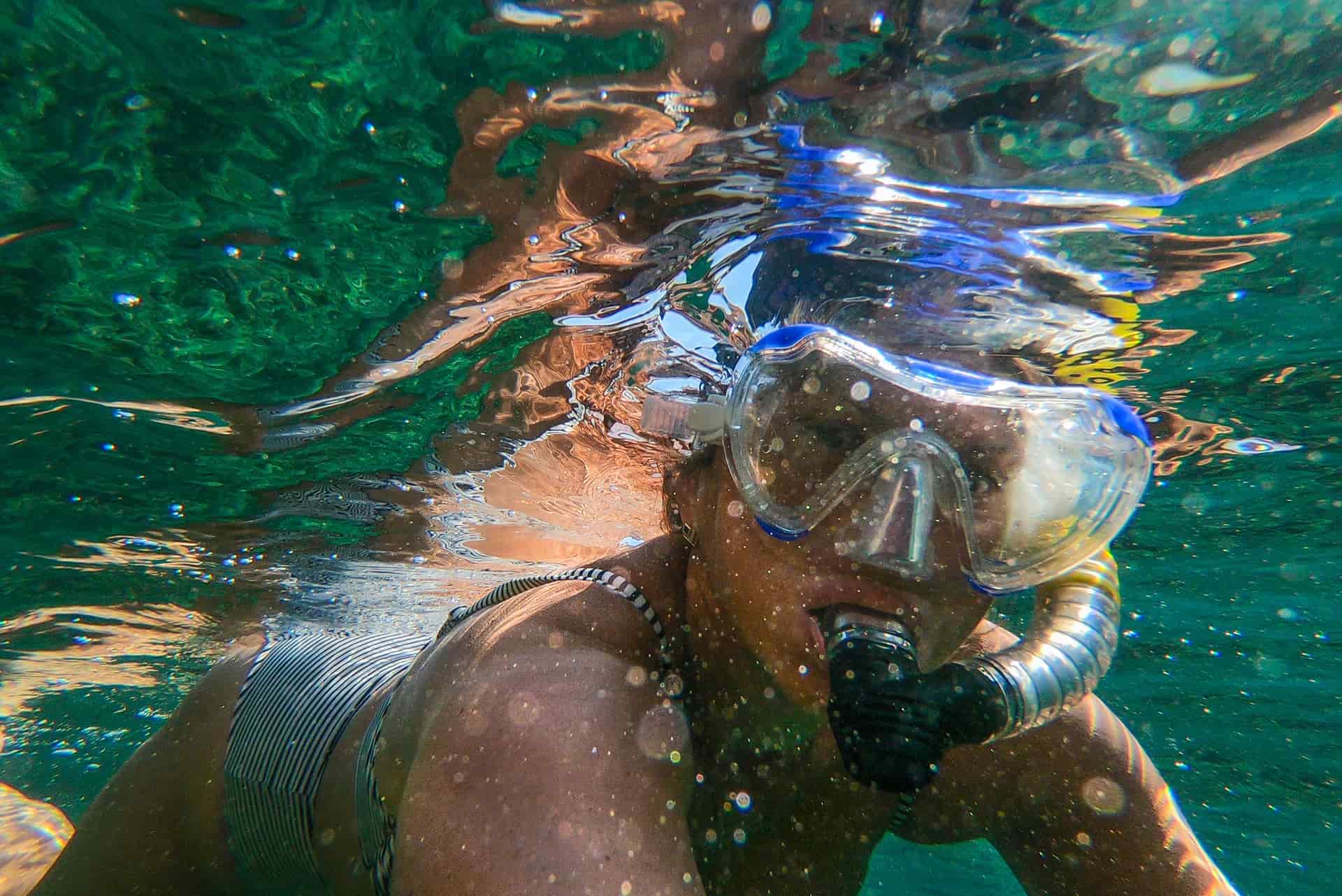
For clear snorkeling footage, set white balance manually to around 5000K-6000K rather than auto, shoot 4K/60 with a wide field of view, fit a snorkel-band red filter if you are below about 5ft, and get closer to the subject than feels necessary. Auto white balance is the single biggest cause of the blue, flat look, because the camera keeps rebalancing as you move through water and the result swings between clips. Everything after that is secondary: snorkeling happens in the top five meters where there is plenty of light, so the problem is almost never exposure and almost always color, distance and a wet lens.
Why snorkeling footage looks bad, in order
It is worth naming the three failures separately, because people reach for the wrong fix. In our order of how often they ruin a clip:
1. Everything is blue. Water absorbs red wavelengths first. By ten feet down, red is most of the way gone, which is why fish that were orange in person are gray-blue on camera. This is physics, not a camera fault, and it is fixed with a filter plus a locked white balance — not with saturation in an edit, which just makes blue more blue.
2. Everything is far away and soft. Water scatters light, so every foot of water between the lens and the subject costs contrast. An action camera lens is also very wide, which makes everything look further away than it felt. A reef that was two feet from your mask looks like it was ten feet away.
3. There is a droplet on the lens, or fog inside it. One drop sitting on the front element is present in every frame, and because the footage is already soft nobody notices it until they are home. Fog inside a housing is the same problem from the other side of the glass.
The settings, specifically
White balance: manual, 5000K-6000K. This is the one that matters. Set it and leave it. Auto white balance is making a new decision several times a second as you swim through changing light, and every one of those decisions is a slightly different color grade — which is why auto footage is impossible to color-correct consistently afterwards. A locked value is wrong in the same way for the whole clip, and consistently wrong is editable.
Resolution and frame rate: 4K/60. 60 frames per second gives you clean half-speed, and underwater half-speed looks wonderful because fish move faster than you think. 4K is already more resolution than the screen it will be watched on. If your camera only offers 4K/30, take 4K/30 and shoot a bit more slowly.
Field of view: wide, not the widest. The very widest setting bends the frame and pushes the subject further away, which is already the problem underwater. Wide or linear is the better choice.
Stabilization: on, horizon lock on. A snorkeler rolls constantly. Horizon lock is the single setting that makes the footage feel calm instead of seasick, and the small crop it costs is invisible.
HDR: off. HDR modes blend exposures and underwater they tend to produce a flat, slightly plastic image. The light below the surface is already even; there is no dynamic range problem to solve.
Sharpening: low, if your camera offers it. Soft footage plus heavy sharpening gives you crunchy edges around every particle of suspended sediment. Low sharpening and a gentle grade afterwards looks better.
| Setting | Use | Why |
|---|---|---|
| White balance | Manual, ~5000-6000K | Auto rebalances constantly and makes the clip ungradeable |
| Resolution / frame rate | 4K/60 | Half-speed is where underwater footage looks best; 4K is enough |
| Field of view | Wide or linear | The widest setting pushes the subject further away |
| Horizon lock | On | A snorkeler rolls; this is what makes it watchable |
| HDR | Off | No dynamic range problem under water; it flattens the image |
| Sharpening | Low | Avoids crunching every particle of suspended sediment |
| Red filter | Below ~5ft, matched to the band | Replaces the red the water has already removed |
| Anti-fog insert | Always, in a housing | Fog is the failure you cannot fix afterwards |
The filter, and the depth band you are actually in
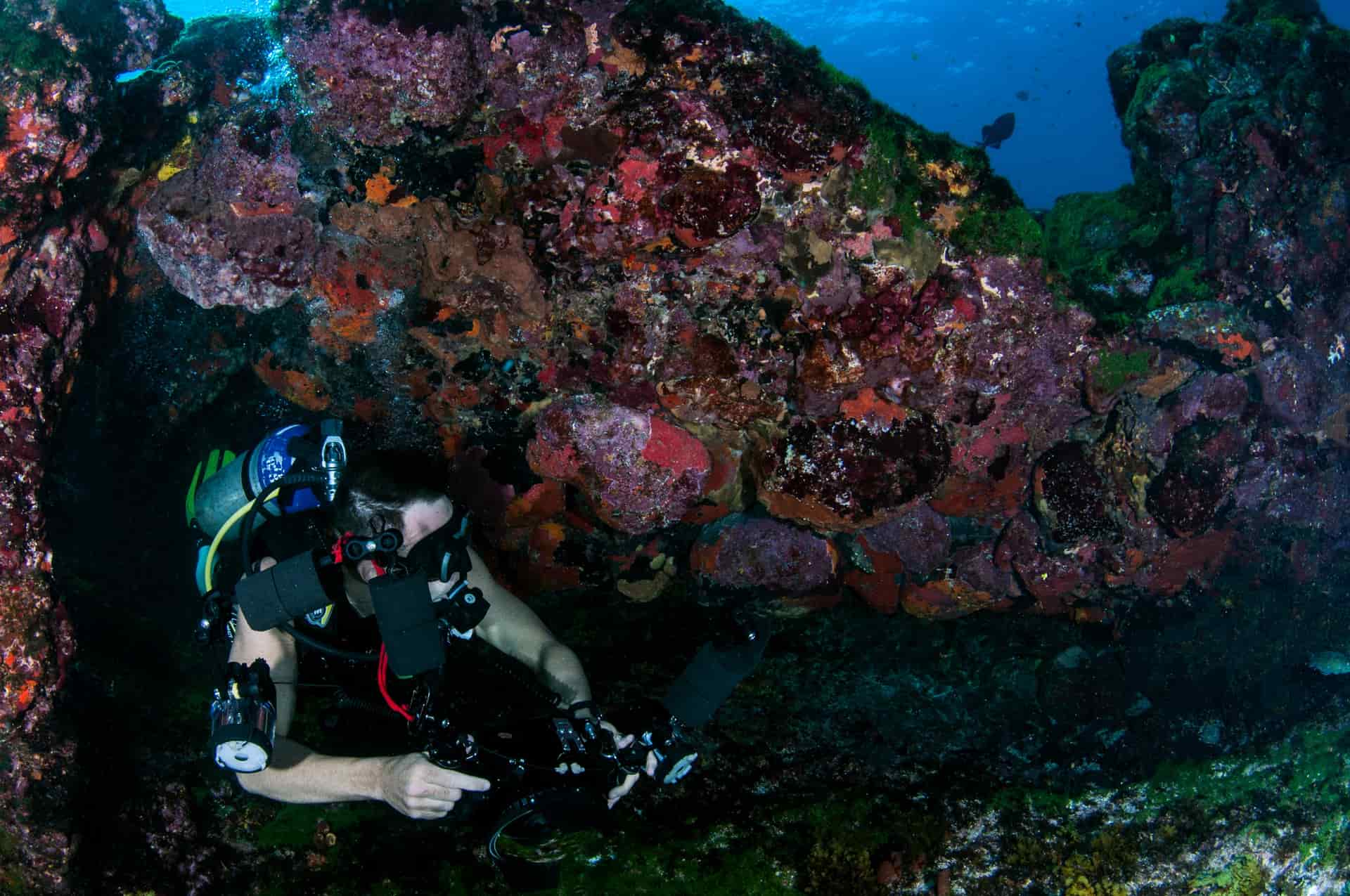
A red filter puts back the wavelengths the water removed, and the reason it is a set rather than a single filter is that the correction needed depends on how much water is above you. Filters are sold in depth bands for exactly that reason. The DiveMaster set in our picks publishes its bands: a snorkel filter for tropical water at 5-15ft, a red filter for tropical water at 15-75ft, and a magenta filter for green water at 10-75ft.
That gives you the rule. Snorkeling at the surface and looking down — no filter, because the water between you and the subject is only a few feet and a filter would make everything magenta. Free-diving down to ten or fifteen feet — the snorkel band. Green or temperate water rather than tropical blue — magenta rather than red, because what the water removed is different. The longer explanation, including dome ports, is in filters and dome ports for water.
One caution worth repeating: a filter is not a fix for a dark day. It removes light. On an overcast morning in murky water a filter can cost you more in exposure than it buys in color.
The habits that matter as much as the settings
Put the sun behind you. Shooting toward the surface into the sun gives you silhouettes and flare. With the sun over your shoulder, the subject is lit and the color the filter is restoring is actually there to restore.
Lick or wet the lens before you go under. It sounds like folklore and it works: a wet front element sheds droplets instead of beading them. A dry lens entering water collects a drop that stays for the whole swim.
Use an anti-fog insert in any housing, every time. Fog forms when warm humid air gets sealed in and then the housing cools in the water. GoPro's inserts are reusable up to four times and dry out at 300°F for five minutes into an airtight bag. There is no in-water fix, which is why this is in the picks. The full account is in stop fogging and overheating and anti-fog inserts that work.
Swim slower than feels natural. Underwater footage is dominated by motion blur and by the camera sweeping past things. Hovering still for eight seconds on one subject produces a clip you can use; a continuous pan across a reef produces forty seconds you will delete.
Shoot clips, not a continuous recording. Ten-second clips of specific things edit into something watchable. A twenty-minute swim does not, and it also costs you the battery for the second snorkel. The method is in editing a trip video people watch.
Tether it, and rinse it afterward
Two non-settings that save cameras. A float or a floating grip means a camera that leaves your hand comes back — in open water with any current, a sinking camera is simply gone. See floats, tethers and not losing your camera.
And rinse the camera in fresh water the same day, with the doors closed, working the buttons under the water. Salt crystallizing in a seal is how a 10m rating becomes a leak two seasons later, and it is not covered by anything. Salt water care and rinsing has the routine.
What the camera choice changes
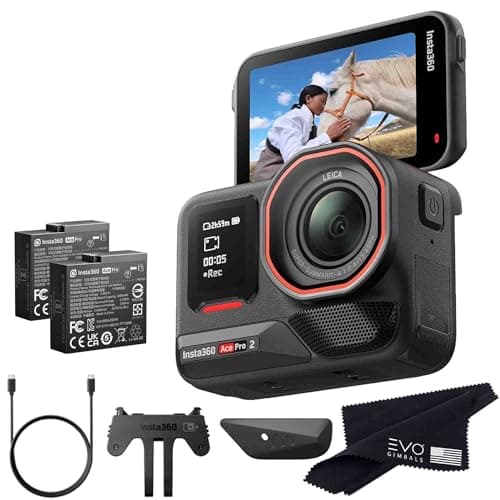
Settings can only do so much with the light available, and underwater light is flat. Sensor size is what decides how much detail survives that, which is why the Insta360 Ace Pro 2 is first in our picks: a 1/1.3-inch sensor with a Leica lens, rated to 39ft (12m) bare so no housing is needed for snorkeling at all. A camera with no housing is also a camera with no fogging risk and no second surface to get a droplet on.
If you are still choosing a body, the ranked list is the best action cameras for snorkeling, and the depth ratings across the whole registry are in how deep an action camera can actually go.
01
The three things that make the settings work
A camera with a big enough sensor to cope with flat underwater light, a filter matched to your actual depth, and an insert so the inside of the lens is not the problem.
- 39ft (12m) / 60m with dive case
- 1800mAh · 180 min published
- 1/1.3" with Leica lens
- 8.5
- 8.5
- 9.0
- 7.5
- 9.5
Insta360 Ace Pro 2
Insta360
The best-looking image of the three flagships, with a flip screen that finally makes a chest-mounted shot something you can frame.
Family trips where you want the footage to look like more than dashcam clips
- 8K30 with a 1/1.3-inch sensor — the most detail in the group
- 12m bare, which clears every snorkel depth without a housing
- 180-minute published battery life and 80% charge in 18 minutes
- Flip screen means you can frame a shot you are standing in front of
- 12m is still short of the DJI's 20m
- The dive case is a separate purchase for anything past 12m
- Fewer mount options than GoPro, and an adapter tax if you switch
Specs from Insta360 Ace Pro 2 published specifications.
- Tropical water, 15-75ft
- Tropical water, 5-15ft
- Green water, 10-75ft
- 9.0
- 8.0
- 8.5
- 7.0
- 8.0
PolarPro DiveMaster Filter 3-Pack
PolarPro
The only filter set here that publishes a depth range per filter, which is the whole reason a filter set is worth buying.
Snorkeling and diving where everything on camera comes back blue
- Published depth ranges per filter, so you can pick correctly instead of guessing
- Includes a magenta filter for green water, which most sets skip
- Snorkel filter covers the 5-15ft band where most people actually film
- Fits the GoPro Protective Housing, which is where dive filters belong
- Requires the Protective Housing — these do not clip to a bare camera
- Three filters means swapping at the surface, and dropping one is losing one
- Tropical vs green water is a real distinction; the wrong filter overcorrects badly
Specs from PolarPro Dive Filters product page.

- 15 inserts
- Reusable up to four times
- 300°F for five minutes, then an airtight bag
- 8.5
- 8.0
- 9.5
- 9.0
GoPro Anti-Fog Inserts (15-pack)
GoPro
Fifteen strips, reusable up to four times each, dried in an oven — the cheapest fix for the problem that ruins the most footage.
Anyone putting a camera in a housing in cold or humid air
- GoPro publishes the reuse count and the exact drying procedure
- 15 inserts at four uses each is around 60 sessions from one pack
- Works with both the waterproof and dive housings
- Solves a problem no camera setting can touch
- They are consumables — once saturated they do nothing
- The oven step is easy to forget, and a damp insert is a useless insert
- Only help inside a housing; a bare camera fogs for different reasons
Specs from GoPro Anti-Fog Inserts product page.
02
How we picked
We do not lab-test, bench-test or dive-test cameras, and we do not own test units. What we do instead is read the manufacturer's published specifications, read the independent reviews that genuinely do test, read owner reports for the failure modes specs never mention — fogging, salt corrosion, cold battery collapse, mount slippage — and then weight all of it for action cameras used on lake and trail. Where a number is not published, the page says “not published” rather than filling the cell.
The full method, including what we refuse to do, is on the editorial policy page.
- 30%Water survival
- Rated depth without a case, door design, and what the manufacturer actually publishes.
- 25%Stabilization in chop
- A kayak deck and a rooty trail shake in ways a handheld walk test never shows.
- 20%Battery in the cold
- Published runtime, spare-battery cost, and whether it charges while recording.
- 15%Mount ecosystem
- Finger mount, threaded, magnetic — and how much of it you have to re-buy.
- 10%Footage you will keep
- Lens replaceability, low-light behavior, and how much cutting the footage needs.
03
Questions people actually ask
01What are the best action camera settings for snorkeling?
Manual white balance around 5000-6000K, 4K/60, wide or linear field of view, horizon lock on, HDR off, and a red filter only if you are below about 5ft. Auto white balance is the main cause of blue, inconsistent snorkeling footage.
02Do I need a red filter for snorkeling?
Only below roughly 5ft. At the surface there is not enough water between the lens and the subject for the water to have removed much red, and a filter will push everything magenta. Filters are sold in depth bands — the snorkel band is the one for free-diving to 5-15ft in tropical water.
03Why is my snorkeling footage blue?
Because water absorbs red wavelengths first, so the deeper you are the less red there is to record. Fix it with a depth-matched red filter and a locked manual white balance, not with saturation in an edit — raising saturation on blue footage just makes it bluer.
04Should I use HDR for underwater video?
No. Underwater light is already even, so there is no dynamic range problem for HDR to solve, and the blended result tends to look flat. Leave it off and lock the white balance instead.
05How close should I get to fish and reef?
Closer than feels right — around arm's length. Every foot of water between the lens and the subject scatters light and costs contrast, and an action camera lens is wide enough that close framing still shows the whole scene.
06How do I stop my housing fogging while snorkeling?
Use an anti-fog insert every time and seal the housing in cool dry air rather than in a hot humid car. GoPro's inserts are reusable up to four times if you dry them at 300°F for five minutes and keep them in an airtight bag. There is no way to clear fog once you are in the water.
04
Read this next
The best settings for filming on water
The broader version: frame rate, white balance and shutter for anything wet.
The best action cameras for snorkeling
If you are still choosing the camera, this is the ranked list.
Filters and dome ports for water
Which filter for which depth band, and why green water needs magenta.
Stop fogging and overheating
The failure that no setting fixes once you are in the water.
Salt water care and rinsing
The ten minutes after the swim that decide how long the camera lasts.
05
Sources
- Insta360 Ace Pro 2 published specifications
- PolarPro Dive Filters product page
- GoPro Anti-Fog Inserts product page
Specifications are quoted from the manufacturer pages above as they read on the dates shown. Where a figure is not published, this site says so rather than estimating one. We have not tested these products.