Using an action camera as a webcam
It works, and it is the best picture most desks will ever see. The problems are heat, power and a lens designed for a kayak rather than a face.
Part of Filming.
We earn a commission if you buy through our links, at no extra cost to you. It never changes what we recommend or the order we rank it in — how this works.
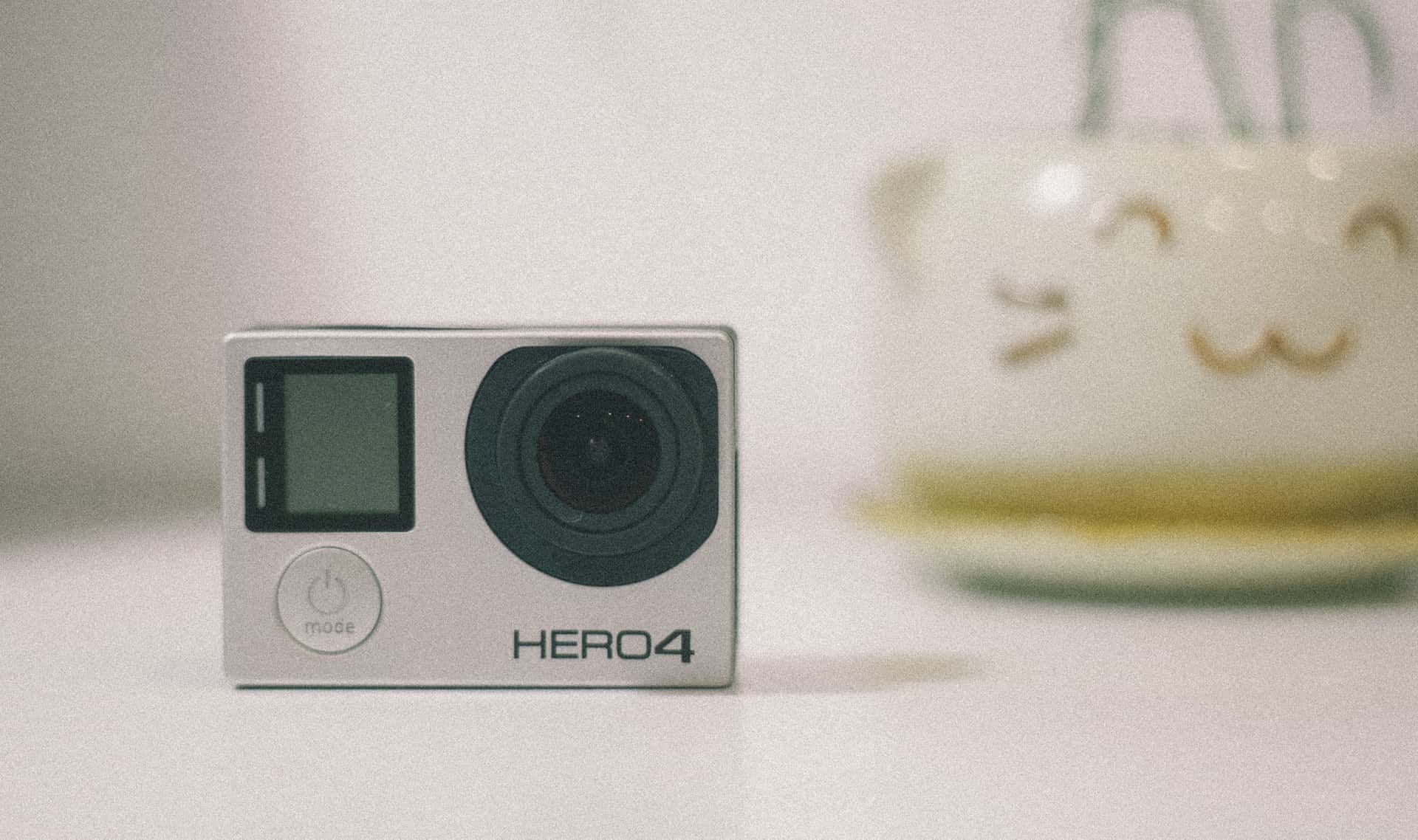
Yes, most current action cameras work as a webcam, by one of three routes: the manufacturer's own desktop utility, a plug-and-play USB video mode the computer recognizes on its own, or an HDMI capture card. GoPro, DJI and Insta360 all document a webcam or USB streaming mode for their current bodies, and the picture quality will beat any built-in laptop camera comfortably. Three caveats decide whether it is worth doing: the camera must be on external power, because a video call outlasts any action camera battery; it will get warm and may stop on a long call; and the lens is extremely wide, which on a desk means a lot of room and a small face. Check your own camera's support page for the exact method, because it differs by model and changes with firmware.
The three routes, in order of how well they work
| Route | What it needs | Where it falls down |
|---|---|---|
| Manufacturer desktop utility | A small app from the camera maker plus a USB cable | Platform-specific, and a firmware update can change the behavior |
| Plug-and-play USB video | A camera that presents itself as a standard USB camera | Not every body or firmware offers it; resolution options can be limited |
| HDMI out to a capture card | An HDMI-capable camera, a capture device and a spare USB port | Most expensive route, and the fiddliest to set up |
| Phone-as-webcam apps | The camera's phone app plus desktop software | Adds latency and a second battery to worry about; least reliable |
The practical order is: try the manufacturer utility first, because it is the route the camera maker actually supports and documents; then the plug-and-play mode if your body offers it; then a capture card if you need a reliable feed for streaming rather than for meetings. Every one of these is model-specific enough that the only correct instruction we can give is to read your camera's own support page. Firmware moves, and a page that confidently lists menu paths for twelve cameras is a page that is wrong about several of them.
The three things that will actually bite you
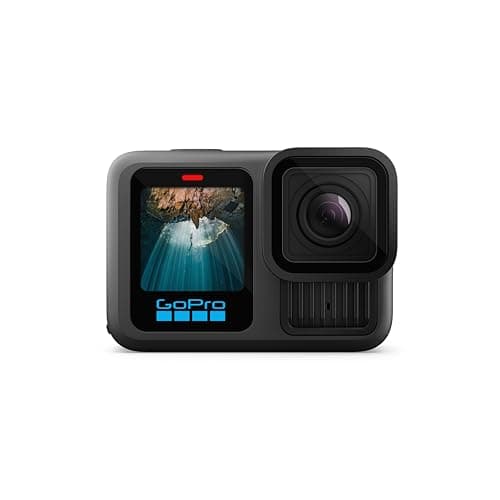
Power, first and non-negotiable. An action camera battery is specified in tens of minutes of continuous recording — GoPro publishes 1.5 hours at 5.3K30 and 2.5 hours at 1080p30 for the HERO13 Black's 1900mAh Enduro cell — and a webcam needs to run all day. Which means the camera must record or stream while charging, and not every body allows it. Ours covers which do in power on long days, and the answer there applies exactly to a desk.
Heat, second. A sealed waterproof body has no airflow, and an action camera running continuously indoors with no breeze is the worst thermal case the design ever sees. The symptom is a camera that works for forty minutes of a sixty-minute call. Take the camera out of any housing, give it clear air on all sides, do not sit it on a laptop vent, and drop the resolution — the mechanics are the same as outdoors, and stop fogging and overheating covers them.
The lens, third and most surprising. Action camera lenses are extremely wide because they are designed to be strapped to a chest a foot from the subject. On a desk, a wide lens films your whole room and makes your face small and slightly distorted at the edges. Most cameras offer narrower digital lens modes — linear or narrow — and that is the first setting to change. It crops, which costs resolution, and on a video call that is a trade worth making.
Audio is the part people forget
An action camera's microphone sits behind a waterproof membrane and is tuned to survive wind, not to reproduce a voice in a room. Through a webcam connection the result is thin and roomy, and the fix is to not use it.
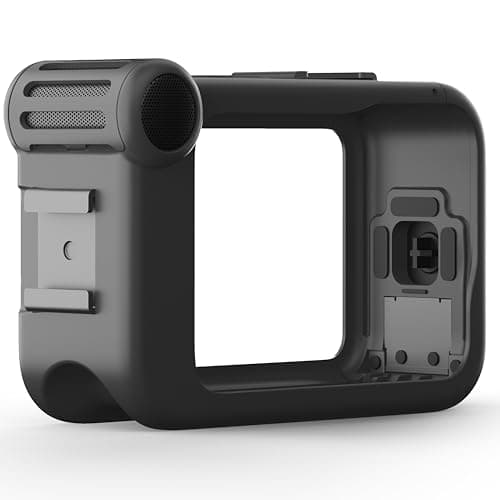
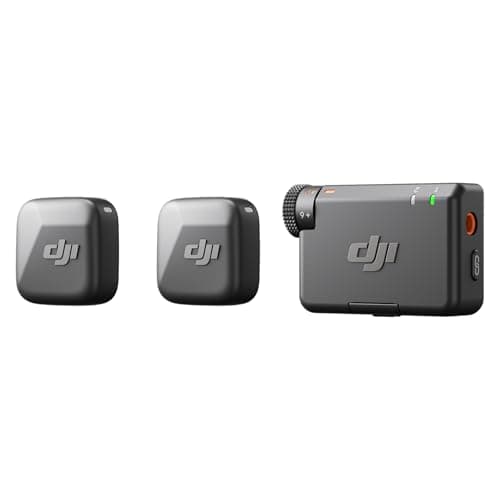
Use your computer's own microphone, a headset, or a wireless mic as a separate audio device — the call software lets you pick camera and microphone independently, and there is no benefit to routing audio through the camera. The DJI Mic Mini above is the one we rank for outdoor narration, and it does the indoor job just as well: DJI publishes an approximately 10g transmitter, about 11.5 hours of battery and 400m of unobstructed range. GoPro's Media Mod is the route if you specifically want a 3.5mm input on the camera itself — it publishes standard, powered and line-in modes with 2.5V of bias power reserved for powered mics — but for a desk it is solving a problem you do not have.
One caution from the water side of this site: the Media Mod is not a waterproof accessory, and the microphone comparison in microphones for action cameras is written around that constraint.
What makes a good kayak camera does not make a good webcam
This is worth spelling out, because the two jobs pull in opposite directions and the overlap is smaller than it looks.
Waterproofing is the enemy of cooling. The sealed body that survives a swamped kayak is the same body that has nowhere to dump heat on a long call.
An ultra-wide lens is right on a chest mount and wrong on a desk. Outdoors you want the whole scene; indoors you want a head and shoulders.
A small removable battery is right in a boat and wrong at a desk. On the water you swap it; at a desk you need the camera to run on mains power indefinitely.
Stabilization is irrelevant and costs you. A camera on a desk does not move, so stabilization buys nothing and crops the frame to give itself margin. Turn it off for webcam use — the same logic as not using TimeWarp on a tripod, which we cover in time lapse vs TimeWarp.
If you are shopping for a camera and a webcam is one of your reasons, be honest about the weighting. The water and trail specifications that this site ranks on — bare depth, cold rating, mount ecosystem — are all irrelevant at a desk, and the specifications that matter at a desk are not ones manufacturers publish. How to choose an action camera works through the six that actually decide an outdoor purchase.
A setup that works, in order
Take it out of any case or housing. No housing, no filter, nothing that traps heat or adds a reflective surface in front of the lens.
Put it on a small tripod at eye level. Eye level, not desk level. A camera looking up from a desk is the least flattering angle available, and raising it six inches does more for the picture than any setting.
Plug it into power before you plug it into the computer. Then confirm it is actually charging, not just connected.
Set a narrower digital lens and turn stabilization off. Both reduce the work the camera is doing and both improve how you look.
Pick a separate microphone in the call software. Camera for video, anything else for audio.
Test a long call before you need one. Thermal behavior only shows up after half an hour, which is exactly when you least want to find out.
01
What a desk setup actually needs
A body with a current webcam mode, a way to get real audio in, and — not pictured because it is not a product we rank — a short tripod and a USB cable long enough to reach power.
- 33ft (10m), no housing
- 1900mAh Enduro
- 1.5h at 5.3K30 / 2.5h at 1080p30
- 8.0
- 9.5
- 8.5
- 9.5
- 9.0
GoPro HERO13 Black
GoPro
The safest default for lake and trail: 33ft without a housing, the steadiest footage in the category, and a mount for literally everything.
Anyone who wants one camera to handle the kayak, the bike and the family trip
- HyperSmooth 6.0 with AutoBoost is the steadiest stabilization we can find published figures for
- Built-in mounting fingers plus 1/4-20 threads — it fits the GoPro ecosystem and a normal tripod
- Enduro battery is rated to keep full camera functionality down to 14°F (-10°C)
- Replaceable lens cover, so a scratched lens is a $20 problem and not a $400 one
- 33ft is shallower than the DJI and it is the shallowest of the three flagships
- Anything past 33ft needs the separate Protective Housing
- HB-Series lenses and ND filters are all extra purchases
Specs from GoPro HERO13 Black published specifications.
- 3.5mm, unbalanced stereo
- Standard / Standard+ / Powered / Powered+ / Line In
- 2.5V reserved for powered mics
- 7.5
- 4.0
- 3.0
- 9.0
- 8.0
GoPro Media Mod
GoPro
A directional mic plus a real 3.5mm input — the only official route to external audio on a GoPro, and it un-waterproofs the camera.
Talking to camera on dry land, or feeding in a proper external mic
- A genuine 3.5mm input with five selectable modes, including Line In at 8kOhms
- Built-in directional mic is a real step up from the camera's own
- Adds HDMI out and a cold shoe for a light or a receiver
- Published input impedance figures, which almost nothing else in this category gives you
- The camera is NOT waterproof in the Media Mod — this is a dry-land accessory
- Adds meaningful bulk to a camera you chose for being small
- Model compatibility is narrow; a new camera generation often means a new mod
Specs from GoPro Media Mod product page.
- Approx. 10g
- Approx. 11.5 hours
- 400m, unobstructed
- 8.0
- 7.0
- 4.5
- 9.5
- 9.0
DJI Mic Mini
DJI
A 10-gram transmitter with 11.5 hours of battery and 400m of range — the way to get clean voice without opening the camera up.
Narrating a trip without shouting over wind at the onboard mic
- 10g means it clips to a PFD strap and disappears
- 11.5 hours per transmitter, and the case recharges it roughly 3.6 times over
- 400m of range in the open — far past anything a paddling trip needs
- Keeps the camera sealed, unlike a wired mic adapter
- DJI does not publish a waterproof rating for the transmitter — treat it as not waterproof
- The receiver connects to non-DJI cameras via a 3.5mm cable, which usually means a media mod anyway
- Another thing to charge before a trip
Specs from DJI Mic Mini published specifications.
02
How we picked
We do not lab-test, bench-test or dive-test cameras, and we do not own test units. What we do instead is read the manufacturer's published specifications, read the independent reviews that genuinely do test, read owner reports for the failure modes specs never mention — fogging, salt corrosion, cold battery collapse, mount slippage — and then weight all of it for action cameras used on lake and trail. Where a number is not published, the page says “not published” rather than filling the cell.
The full method, including what we refuse to do, is on the editorial policy page.
- 30%Water survival
- Rated depth without a case, door design, and what the manufacturer actually publishes.
- 25%Stabilization in chop
- A kayak deck and a rooty trail shake in ways a handheld walk test never shows.
- 20%Battery in the cold
- Published runtime, spare-battery cost, and whether it charges while recording.
- 15%Mount ecosystem
- Finger mount, threaded, magnetic — and how much of it you have to re-buy.
- 10%Footage you will keep
- Lens replaceability, low-light behavior, and how much cutting the footage needs.
03
Questions people actually ask
01Can you use a GoPro as a webcam?
Yes. Current GoPro bodies support a webcam mode over USB, either through GoPro's own desktop utility or as a USB video device, and the exact method depends on the model and firmware — check GoPro's support page for your camera. Keep it on external power, because the battery will not last a working day.
02Is an action camera better than a webcam?
Better image, worse at everything else. A dedicated webcam is powered by its cable, never overheats, and has a lens and a microphone designed for a person at a desk. An action camera wins on picture quality and on costing nothing if you already own one.
03Why does my action camera overheat on video calls?
Because a sealed waterproof body has no airflow and a call runs continuously with no breeze. Remove any housing, give it clear air on all sides, keep it off laptop vents and lower the resolution. It is the same thermal limit that shows up on long outdoor recordings.
04Do I need to keep the camera plugged in?
Yes, and you need a body that allows recording or streaming while charging. Published action camera runtimes are measured in tens of minutes to a couple of hours, which is shorter than a working day of calls.
05How do I stop the webcam picture looking so wide?
Switch the camera to a narrower digital lens mode — usually called linear or narrow — and move it closer to eye level. The default ultra-wide lens exists for chest mounts and bike bars, not for faces.
04
Read this next
Power on long days
Which bodies record while charging, which is the whole webcam question.
Stop fogging and overheating
The same thermal limit, outdoors, with the fixes that transfer to a desk.
The best microphones for action cameras
Why the onboard mic is the weak link, indoors as well as out.
How to choose an action camera
The specifications that decide an outdoor purchase, none of which apply at a desk.
How to edit on a phone
The other thing people do with a camera once it is off the water.
05
Sources
- GoPro HERO13 Black published specifications
- GoPro Media Mod product page
- DJI Mic Mini published specifications
Specifications are quoted from the manufacturer pages above as they read on the dates shown. Where a figure is not published, this site says so rather than estimating one. We have not tested these products.